Translator Bot for Discord: Complete Guide to Picking and Setting Up the Right One
A translator bot for Discord watches your channels and converts messages between languages in real time. Here's how to pick one and set it up, step by step.

A translator bot for Discord watches the messages in your server and converts them into another language as they are posted. If your community has members who do not share one language, that is the difference between a single shared conversation and a handful of silos where nobody reads anybody else. This guide covers what these bots actually do, what to compare before you invite one, and how to configure one end to end, using Interaction Bot as the working example.
What a translator bot for Discord actually does
A translation bot’s core job is real-time message translation. Add one to a server and it listens to the channels you choose, detects the language of each message, and posts a translation your members can actually read. Interaction Bot, for example, adds automatic translation alongside text-to-speech, speech-to-text, and AI question answering for Discord servers.
That single headline covers four useful features you will see toggled everywhere:
- Real-time message translation. New messages are translated as they arrive, rather than after someone asks. A member can write “¿A qué hora empieza?” and the bot can immediately post “What time does it start?” for English readers.
- Language detection. The bot guesses the source language from the text before translating it, so you do not have to declare a language per message.
- Auto-translate channels. You mark specific rooms as multilingual, and every eligible message in them is translated into the room’s target language without members typing anything.
- Multi-language support. One server can serve several languages at once: this channel in English, that category in Spanish, a role’s posts in French.
Most bots also offer slash commands for the occasional manual request. Interaction Bot’s command reference lists /translate <message> <language>, /detect <message>, and /languages as the basic checks you can run in Discord before you build any rules.
How the translation happens behind the messages
Automatic translation is an event-driven pipeline. The moment a member posts in a configured channel, the bot walks the same steps: Discord sends the bot an event, the bot reads the message and checks whether the channel is set up for translation, a language detector estimates the source language, a translation service converts the text to the channel’s target, and the bot posts the result as a reply, embed, or webhook message. Our deep dive into how automatic translation bots work on Discord walks through each stage.
Two details are worth knowing because they separate good bots from sloppy ones:
- Detection is a probability, not a certainty. Translation platforms return a language code plus a confidence score between 0 and 1. Microsoft and Google both note that short messages are harder to classify reliably, so a well-behaved bot skips ambiguous posts rather than mangling them. Most bots use a translation engine such as Google Cloud Translation, Microsoft Translator, or DeepL under the hood.
- Good bots protect Discord syntax. Mentions, links, custom emoji codes, and code blocks should be preserved so a translated post does not ping the wrong people or break formatting. A bot should also ignore its own output, or one translated message can trigger another translation and loop forever.
The four ways to scope your translation
The biggest setup decision is not which bot, it is how wide each translation rule should reach. You can attach a language to a channel, a role, a category, or a flag reaction, and each suits a different audience:
| If your audience is… | Best rule | Example |
|---|---|---|
| Everyone in one room | Channel translation | English in #general |
| Members carrying a language role | Role translation | French for @French |
| Every room under one section | Category translation | Spanish for a support category |
| Only when a member asks | Flag translation | A flag emoji picks the language |
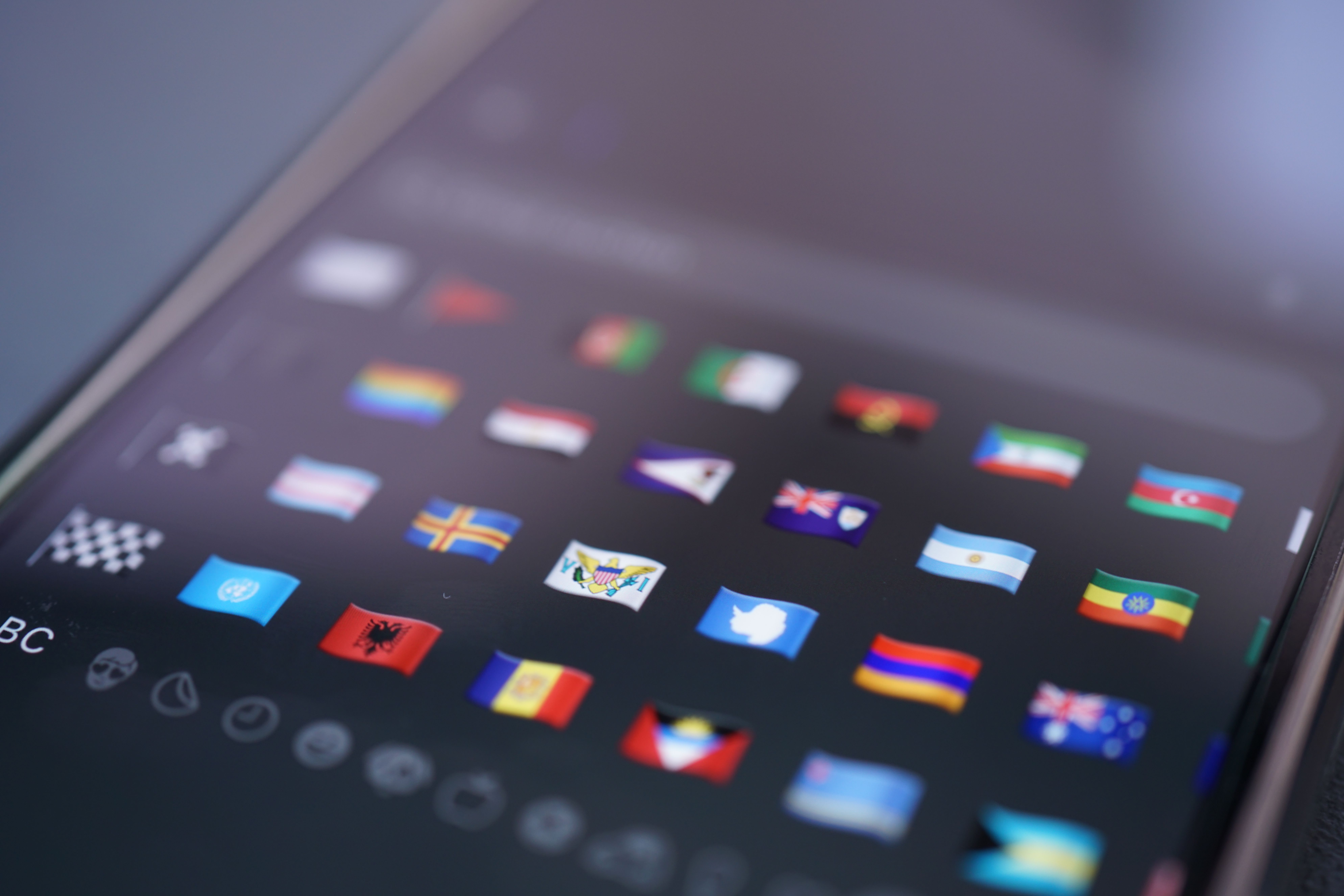
Flag-based translation is the lowest-noise option. Members react to a message with a country flag emoji and the bot replies in that language, which is ideal for rooms where most people share one language and only occasionally need help. This is exactly how Interaction Bot scopes its rules, and our full Discord translator bot setup guide shows every control.
What to compare before you pick a bot
Feature lists blur together, so judge bots on the five things that actually change your day-to-day:
| Feature | Why it matters | Interaction Bot |
|---|---|---|
| Auto-translate channels | Translation without commands, the main reason to add a bot | Channel, role, category, and flag rules |
| Language detection | No manual source tagging per message | Yes, with a target per rule |
| Multi-language output | One message served to several audiences | Add a rule per target language |
| Slash commands | On-demand translation anywhere | /translate, /detect, /languages |
| Output style & moderation | Control embed vs webhook vs message, auto-delete | Configurable per rule |
Verification matters more than the pitch. Read the bot’s own documentation, start in a private test channel, and check that it lets you scope translation narrowly rather than flooding the whole server. If most of your members share one language and only a few posts need help, a manual command may be all you need; automatic translation earns its place when a room is genuinely bilingual.
How to set up a translator bot in Discord
Here is the setup flow with Interaction Bot as the example. The exact labels vary by bot, but the sequence is dependable:
- Invite the bot. Add Interaction Bot from its official invite page, select your server, and review the permissions Discord shows before you approve.
- Log in through the dashboard. Click Login or Go to dashboard. Discord opens an OAuth consent screen for the
identifyandguildsscopes; after you authorize, pick the server and click Configure. - Open Translation in the left navigation. On mobile, use the top-left menu button.
- Add a channel rule. Go to Translation > Channel Translation, click Add a configuration, pick the source channel, the sending channel (same channel for an inline multilingual chat, or a separate one for a cleaner feed), and the target language. Save both the popup and the page.
- Test in a quiet channel first. Post in several languages and confirm each reply lands in the right place before you enable a busy public room.
UnityXpert’s step-by-step tutorial shows an automatic translation bot being installed and configured for a community, gaming, or business server:
For the full walkthrough of channel, role, category, and flag rules including the option to restrict translation to specific roles, see the complete Discord translator bot setup guide.
Who genuinely needs one
The clearest case is any server whose members live in more than one country. International teams are a perfect example: hiring managers who onboard global talent across time zones rely on a server being readable to everyone from day one, so a translator bot removes the language barrier before a new hire ever types a word. Tools that track job posting data, like InsightMoves, make the same point that remote and international hiring is rising, which is exactly the kind of team that should not assume everyone reads the same language.
The same logic applies to gaming servers, language-exchange communities, global support channels, and fan servers. Whatever you run, the test is simple: is there a room where two people cannot read each other? If yes, a translator bot is worth the five minutes of setup.
The short answer
A translator bot for Discord is a bot that listens to your channels and converts messages between languages in real time, automatically or on request. Pick one that offers language detection, auto-translate channels, and multi-language output, scope your rules to the channel, role, category, or flag that matches each audience, and test in a quiet room before you switch it on. For most servers, that is an afternoon’s work with a bot like Interaction Bot, and the result is one conversation instead of several closed circles.
Published by interaction-bot.com.
Visit interaction-bot.comMade with AI.