Discord Translator Bot Free: What “Free” Really Includes in 2026
What free Discord translator bots actually give you in 2026: character caps, vote-to-top-up quotas, config limits, and which servers outgrow free tiers. Interaction Bot, iTranslator, and TranslateBot compared.

Discord Translator Bot Free: What “Free” Really Includes in 2026
Every “free” Discord translator bot is free to start and none of them is unlimited in the way people hope. In practice “free” takes one of three shapes: a character quota you reset by voting (iTranslator), a one-time character pack (TranslateBot), or unlimited translation that is capped on configuration and quality instead (Interaction Bot). This article goes through each bot’s free tier as documented on its own site, shows which servers can stay on free forever, and gives a decision path you can finish in two minutes.
The three shapes of “free”
The economics explain every limit below. Machine translation costs money at the engine level: every translated character is a bill from Google, DeepL or OpenAI. A generous free tier is marketing, so a bot recovers that cost one of several ways.
Character caps. The bot keeps a running character balance and subtracts each translated message. TranslateBot’s demo plan is exactly this. Its FAQ states that “the total number of characters of a message will be deducted from the total amount of characters the server has available,” and that “once the available number reaches 0, the bot will stop working and will require a top up” (TranslateBot FAQ). Free here means 15,000 characters, one time only.
Vote-to-top-up quotas. iTranslator gives free servers a 10,000-character translation limit and lets them reset it by voting on bot-listing sites. Its plan page states the free limitation as “10,000 or /checkvote” (iTranslator plan comparison). The chore is real: an active community ends up in a permanent vote-to-keep-translating rhythm, which is exactly how the bot converts a free server into a promotional channel for itself.
Config caps with unlimited translation. Interaction Bot’s FAQ is explicit that it provides “unlimited free translation” by using less efficient translation models, and its free-versus-premium table lists the actual free ceilings: 3 target languages per channel, 20 channel-wide rules per server, 2 role translations per role, 20 role rules per guild, and 1 category rule (Interaction Bot FAQ, premium comparison). Translation itself never stops counting characters; the ceiling is how many rules you can configure and how accurate the free model is.
A credit line instead of a watermark. iTranslator’s free translations carry a “Generated by iTranslator” credit line; its plan comparison lists “iTranslator credits removed” as a paid benefit (iTranslator plan comparison). Interaction Bot and TranslateBot do not advertise a credit line on free tiers.
Premium paywalls. All three sell something more. Interaction Bot sells extra config slots, bot-message translation and a language blacklist, plus paid Google-quality translation characters. iTranslator sells an unlimited-quota, higher-accuracy engine and, at the top, TTS and speech-to-text. TranslateBot sells bigger character packs.
The free tiers compared
| What you get free | Interaction Bot | iTranslator | TranslateBot |
|---|---|---|---|
| Free model | Unlimited translations on a free engine | 10,000-character quota, voting resets it | 15,000 characters, one time only |
| Languages on free | 100+ | 30 | 100+ |
| Translation modes | auto-translate, flag reactions, /translate | auto-translate, flag reactions, /translate | linked channels, flag reactions |
| Free config limits | 3 target languages per channel; 20 channels; 2 role targets per role; 20 roles; 1 category | 30 auto-translate rules; 3 role rules; 3 translation-bans | 50 linked-channel slots |
| Voice on free | text-to-speech and speech-to-text included | no (Pro AI from €24.99/month) | no |
| When free runs out | never, for translation itself | at 0 characters, until you vote | at 15,000 characters; buy a pack |
| Paid from | Patreon Premium; paid Google characters | Premium from €8.32/month | Silver $9.99 = 225,000 characters |
| Credit line on translations | no | “Generated by iTranslator” until Premium | no |
Figures come from each bot’s own site and documentation, retrieved August 2026 (interaction-bot.com, itranslator.app, translatebot.app). For a fuller comparison of features, speed and dashboard quality across these three, our feature, pricing and performance comparison covers what this table leaves out.
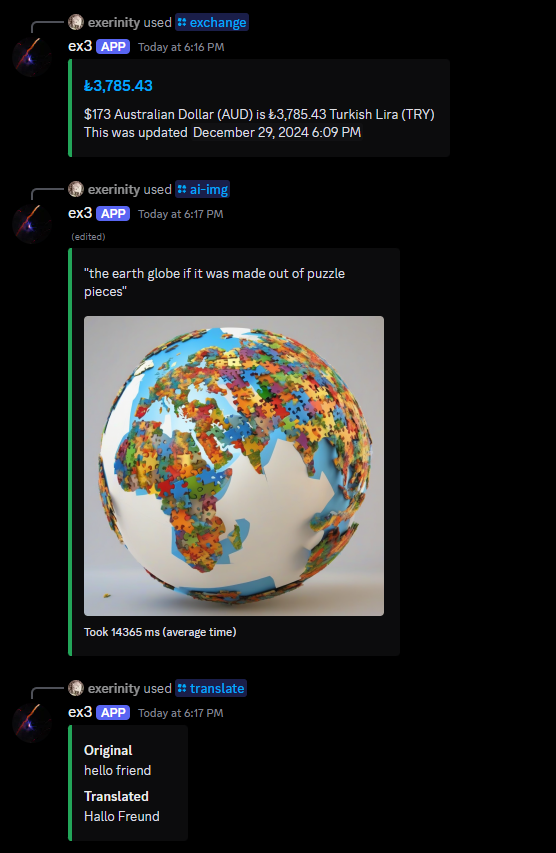
Interaction Bot is the only one of the three that does not count your characters at all. The trade-off is the free engine’s quality: its FAQ is upfront that unlimited free translation runs on “less efficient” models and that paying for Google translation characters improves it. iTranslator throttles volume and coverage at once: 10,000 characters, 30 languages, 30 auto-translate configs, 3 role configs and a credit line until you subscribe. TranslateBot is the purest pay-as-you-go: the demo is a one-time trial, and once the 15,000 characters are gone the bot stops translating until you buy a pack, with no time limit on purchased characters.
If you want to see a quota-based free tier working in a real server, Gehsture’s walkthrough of iTranslator shows the bot’s translation features in action inside an actual Discord server.
Which servers can stay free forever
Small servers stay free comfortably. A friend group, a hobby community or a small game guild with two or three languages, one or two auto-translated channels and modest traffic fits inside every free tier above. Interaction Bot’s 3-languages-per-channel and 20-channel limits are generous at that size, and its unlimited free translation plus free text-to-speech is hard to outgrow. A language-learning club with a few dozen daily messages sits comfortably inside iTranslator’s free tier, voting whenever the quota runs low.
Medium servers can stay free with discipline, because character quotas hurt in proportion to activity. The arithmetic is unforgiving: 15,000 characters is roughly 150 messages of 100 characters, which a channel posting two dozen translated messages a day burns through in about a week on TranslateBot’s demo. iTranslator’s 10,000-character balance buys a comparable amount between votes. Budget for the quota before it surprises you mid-conversation.
These outgrow any free tier quickly:
- Large public communities. A global channel where hundreds of members write in many languages clears a 10,000-character quota every day, and the vote-to-reset loop becomes a full-time chore.
- Channels with more than three target languages. Interaction Bot’s free tier allows three translation targets per channel; four or more forces a Premium config.
- Servers that translate bot messages. Interaction Bot documents that translating other bots is premium-only (translation commands docs).
- Voice-centric servers. TranslateBot has no voice at all, iTranslator reserves TTS and transcription for Pro AI, and only Interaction Bot includes both in the free tier.
- Quality-sensitive servers. All three free tiers, and especially the “unlimited” ones, run lower-cost models; when translation accuracy is business-critical, the paid engines are the product.
How to tell if a “free” bot hides limits
Read the documentation before you invite anything, and know where to look.
- Find the free-quota number. A homepage says “free”; the pricing page says “10,000 characters”, “15,000 characters” or “unlimited on a lower-quality model”. If a seller says only “free” and never a number, treat the quota as unstated rather than nonexistent.
- Check what is capped other than money. Interaction Bot’s free tier caps configs so the limit sits on rules, not usage. iTranslator caps languages (30) as well as characters. Read the feature comparison table of any bot; the free column is the truth.
- Ask what the free model actually is. “Unlimited” means nothing until you know whose engine powers it. Interaction Bot says it outright in its FAQ; iTranslator labels the paid engine as higher-accuracy; TranslateBot charges the same per character regardless.
- Look for a credit line or branding. A free tier that stamps every translation with the bot’s name is charging you in publicity. iTranslator’s plan comparison shows that credit being removed when you pay.
- Check the dashboard for a usage meter. iTranslator advertises detailed usage statistics in its web dashboard (iTranslator); TranslateBot has no dashboard at all, so its quota mechanics live in its FAQ; Interaction Bot documents the free-versus-premium config limits on its docs site.
- Ask how the bot makes money. A bot that is “free forever, unlimited, no premium” needs to recover engine costs somewhere. If the answer is not a paid tier, the question becomes what it collects instead, and that is a privacy question you should not skip. Our roundup of the best free Discord translator bots looks at exactly this trade-off for each candidate (free bots compared).
A decision path in four steps
1. Measure your volume. Count the messages that genuinely need translating each day, not every message in the server, and estimate their average length in characters. Multiply: that is your monthly character burn, and it is the number every free quota gets measured against.
2. Count your languages and channels. You need the free tier to cover every language your members actually write in, and every channel you want auto-translated, within the config limits.
3. Decide your tolerance for quality and branding. Is the free engine’s accuracy acceptable, or do messages carry real stakes? Can you live with a credit line on translations? Do you need a voice channel reading messages aloud?
4. Match to a bot.
- Small multilingual server, want free voice, few configs: Interaction Bot’s free tier is built for this, and its choose-the-right-bot guide walks through the fit.
- Big community that wants a proven engine and does not mind voting and a credit line: start on iTranslator’s free tier and treat Premium as the point where the quota starts hurting.
- One-time purchase instead of a subscription, low volume: TranslateBot’s demo, then Silver if the characters run out. But note the hard stop at zero characters and plan the pack before the bot goes silent mid-conversation.
If you hit a free ceiling within the first month, you are the premium customer and the decision is really about which upgrade you are willing to buy: more configs and better quality (Interaction Bot), unlimited volume and no credit line (iTranslator), or simply more characters (TranslateBot). That is a decision the data in this article has already made for you; there is no hidden free tier that removes it.
Bottom line
“Free” on a Discord translator bot means free to start, and the honest reading of each free tier is short: Interaction Bot gives unlimited translations on a lower-quality model with tight config caps, iTranslator gives 10,000 characters between votes with a credit line, and TranslateBot gives 15,000 characters once. No bot offers unlimited, high-quality, fully featured translation for nothing, because the translation itself costs real money. Pick the free tier whose limit (rules, quota, or characters) matches the shape of your server, and decide now what you will do the day you hit it.
Published by interaction-bot.com.
Visit interaction-bot.comMade with AI.