Discord FAQ bot that answers repeated questions automatically
You answer the same questions every day: how to get a role, where the rules are, when the next event starts. Write each answer once in the dashboard. The bot finds the right one when a member asks, even worded differently, and auto-replies in your channels.
Auto-reply to member questions, only when the bot is sure
Pick the channels where the bot auto-replies. It answers only when one answer clearly matches and stays silent otherwise, so your chat never fills with wrong answers.
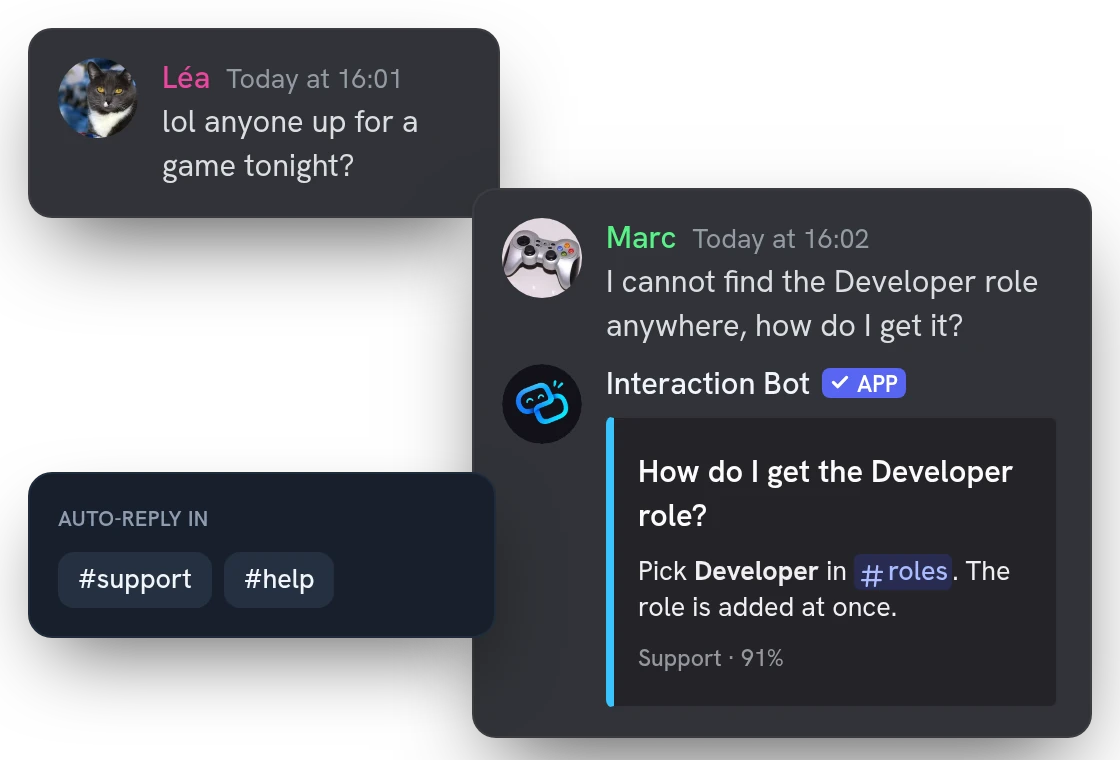
Members look up answers with the /ask command
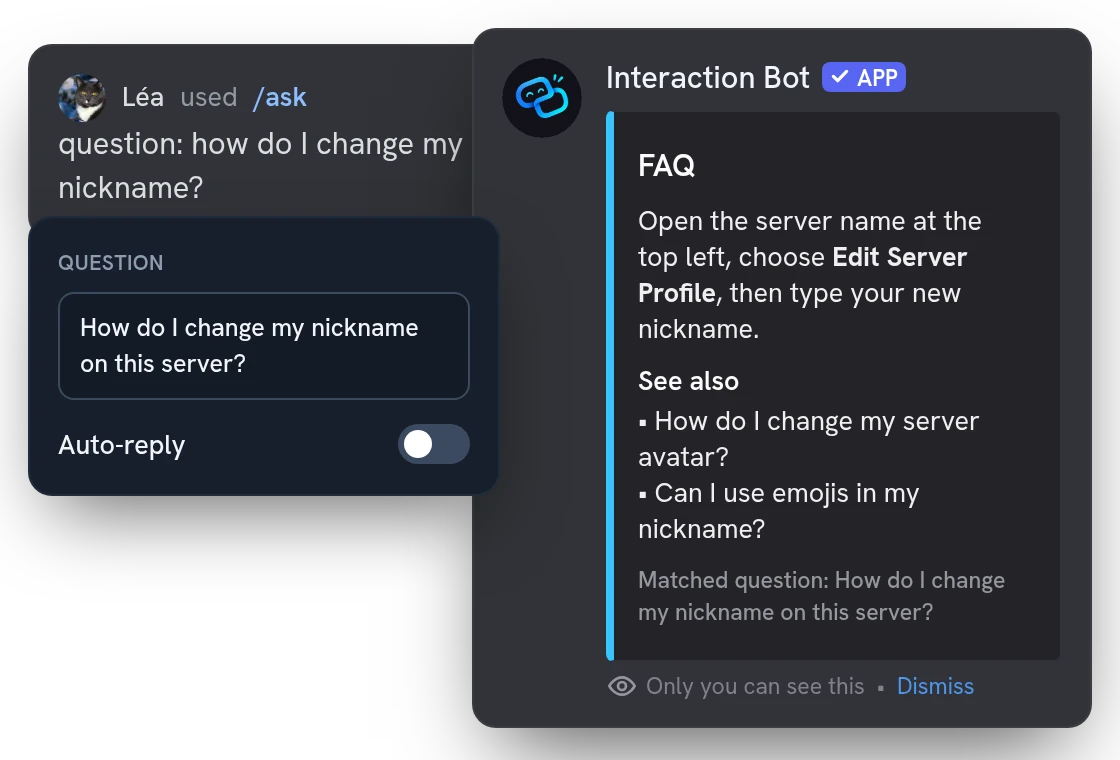
Members type /ask and a question, in any language. Only they see the best answer, with close questions listed under it. Use it to test your entries before turning auto-reply on.
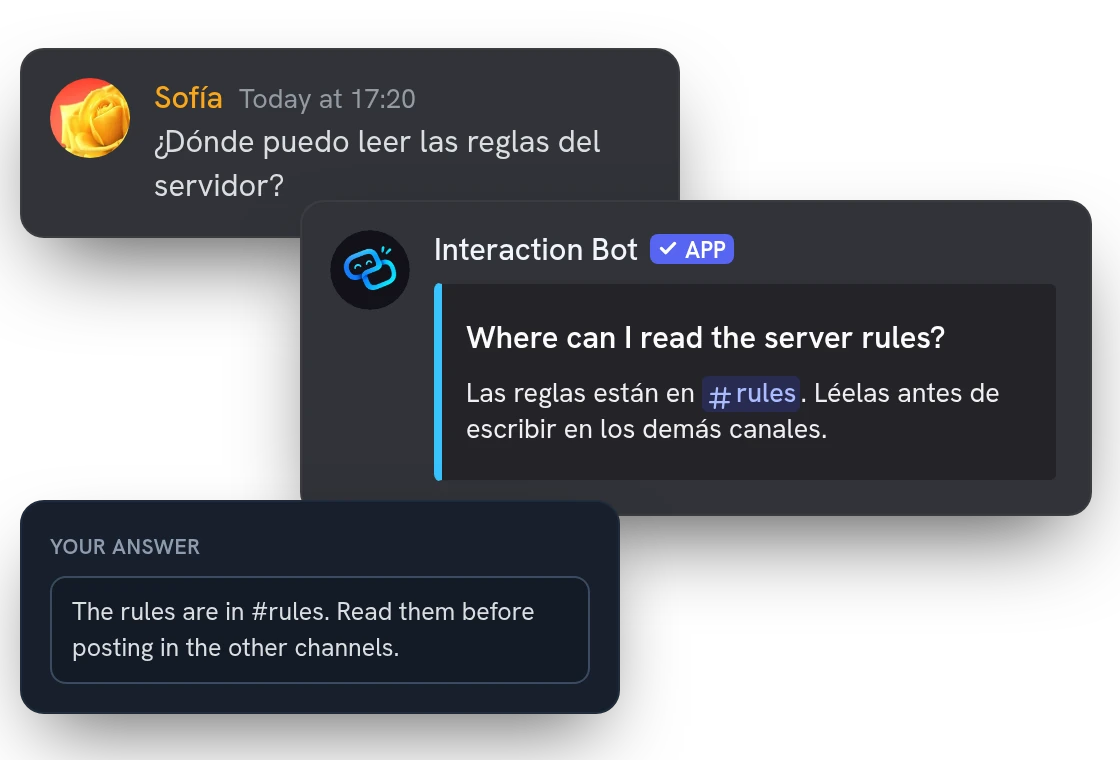
Multilingual FAQ: each member reads it in their language
Write your answers once, in your own language. When a member asks in another one, the answer is translated for them. Links and channel mentions stay intact.
All features
One FAQ group per topic
Keep rules, support and events apart: each group has its own questions and its own channels.
Matches questions across languages
A member can ask in one language and match an entry written in another, so you never write a question twice.
Threads use their channel's FAQ
A thread in a linked channel gets the same group, so threads are covered without extra setup.
Ignores bots, commands and bare links
Auto-reply skips bots, webhooks, commands, and messages that are only links, emojis or mentions.
Confidence set per group
Raise it for stricter answers or lower it to answer more: each group has its own, from 80% to 95%.
Manage the FAQ without leaving Discord
With /faq add, list, remove and manage, add, edit and delete entries; group names are suggested as you type.
Remove a wrong reply in one click
The Not helpful button deletes an auto-reply, for the member who asked and for anyone with Manage Messages.
Pause auto-reply, keep /ask
Turn auto-reply off for a group and members can still use /ask; nothing you wrote is lost.
Dashboard changes apply at once
Edit an answer in the dashboard and the bot uses it right away, with no restart and no command.
Respects members who opted out
Messages from members who opted out of message processing never get an auto-reply.
Replies never ping anyone
The bot answers the member's message without pinging, and mentions inside an answer never notify anyone.
Answers up to 1800 characters
Write long answers with Discord formatting, links and channel mentions; questions can be up to 200 characters.
Questions about FAQ bot
How do I set up a FAQ bot on Discord?
Open FAQ in the dashboard, create a group (for example one for rules, one for support), write your questions and answers, and pick the channels. To manage the FAQ, in the dashboard or with /faq, you need Manage Server; the bot needs Send Messages and Embed Links in each linked channel. Auto-reply is off until you switch it on for the group. You can also add entries from Discord with /faq add.
Is the Discord FAQ bot free?
Yes. A free server gets 1 group with 5 questions and 3 channels; Premium gives 5 groups with 150 questions and 10 channels each. If Premium ends, nothing is deleted: the extra groups, questions and channels just stop being used.
Can a Discord FAQ bot answer questions automatically?
Yes. Switch on auto-reply for a group and the bot answers questions in its channels with the answer you wrote. It replies only when one answer clearly matches, so normal chat is left alone. Members can also ask on demand with /ask, and everybody can use it.
Does the FAQ bot make up answers?
No. It only sends the answers you wrote, never its own. If a reply is wrong, the member who asked or anyone with Manage Messages removes it with the "Not helpful" button, and you fix the entry.
Why does the FAQ bot not reply to a message?
Check that auto-reply is on for the group and the channel is in it. Messages under 4 words (counted between spaces) are ignored. The bot also stays silent if no question reaches the minimum confidence (80% to 95%, set per group, 85% by default) or if two questions match almost equally, so write each one the way members ask it.
You might also like
Translation mirrors
Link channels, each in its own language: a message written in one is translated and posted in all the others. One mirror, five with Premium.
Flag translation
Translate any message with a flag reaction, or let the bot add 1 to 5 flags under every message of a channel. No setup needed.
Voice recording
Record a voice channel with one separate track per speaker, ready to edit your podcasts and sessions.

Try it on your server
Add Interaction Bot in one click and set it up from the dashboard.
 Add to discord