Discord multilingual server bot: link channels, one language each
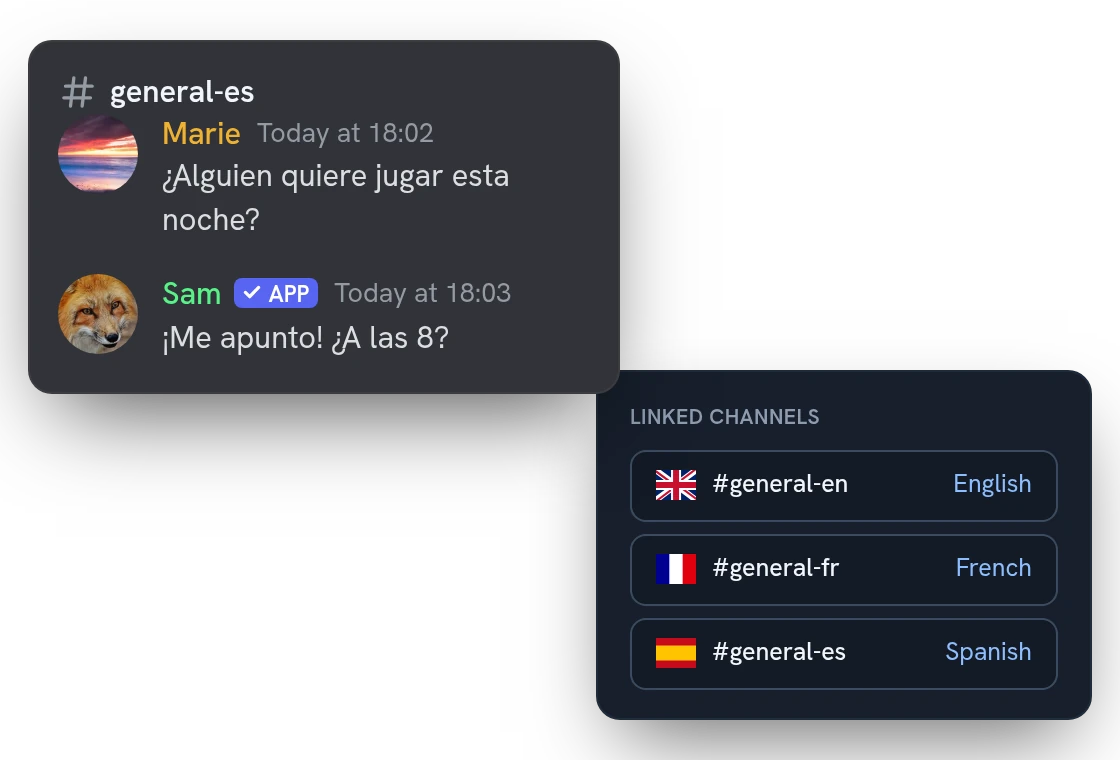
On a multilingual Discord server, you either pick one language for everybody or end up with channels that never talk to each other. Link those channels in a mirror: each keeps its own language, and every message is translated and posted in all the others.
Linked channels: add a language by adding a channel
Every linked channel reads the whole conversation in its own language, whoever wrote what. A new language is one more channel in the mirror, not a new rule for every pair of channels.
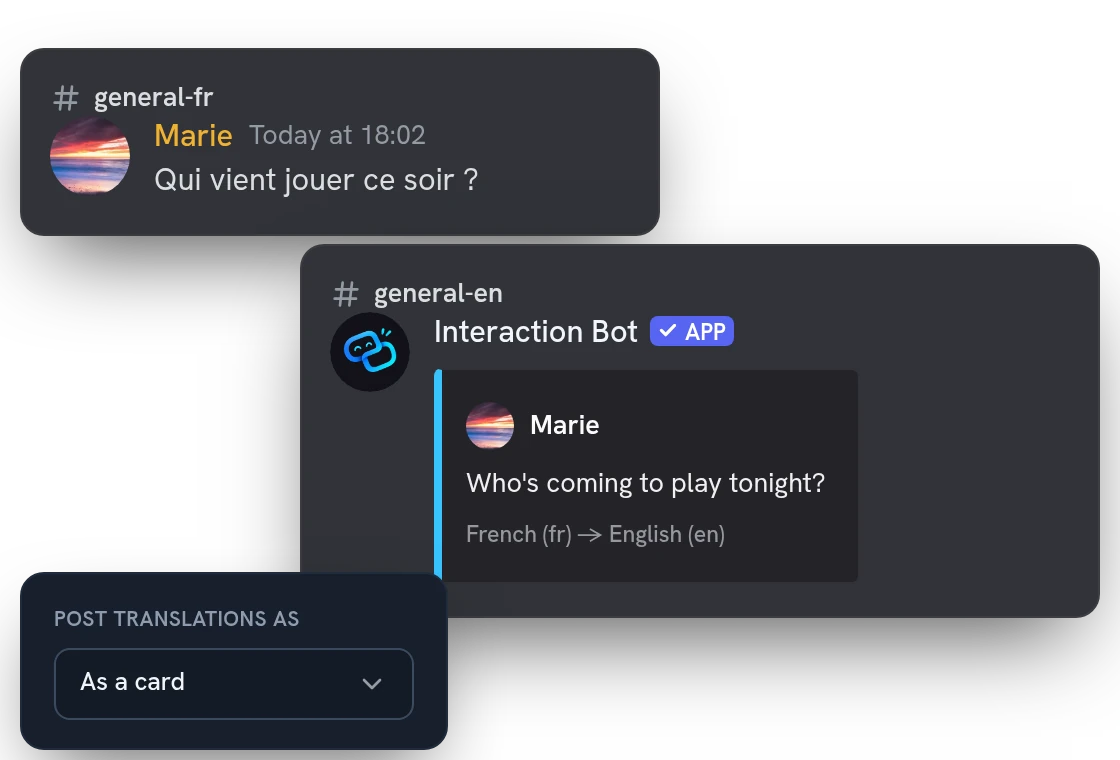
Post translations as the author, as the bot or as a card
By default, the translated message is posted under the name and avatar of the member who wrote it. You can post it as a plain bot message instead, or as a card with both languages in its footer.
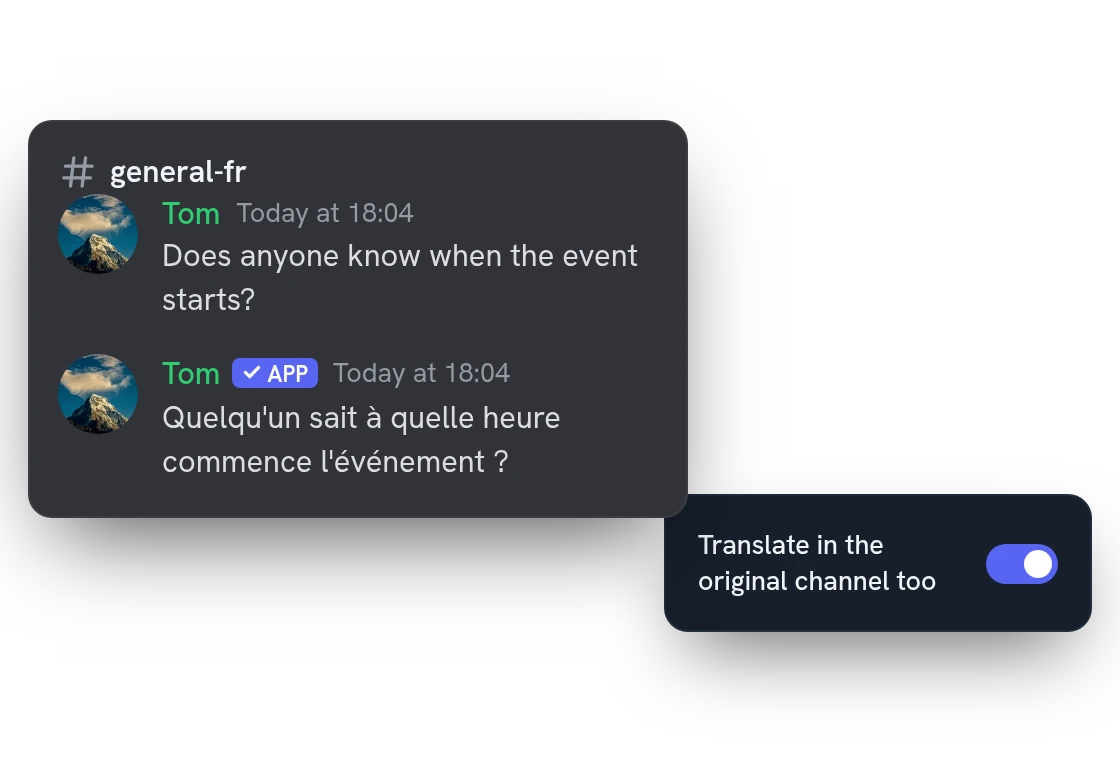
Auto-translate in the original channel too
Someone writes English in the French channel? The bot translates it there too, into French, then shares it with the other channels. Switch it on for a mirror with “Translate in the original channel too”.
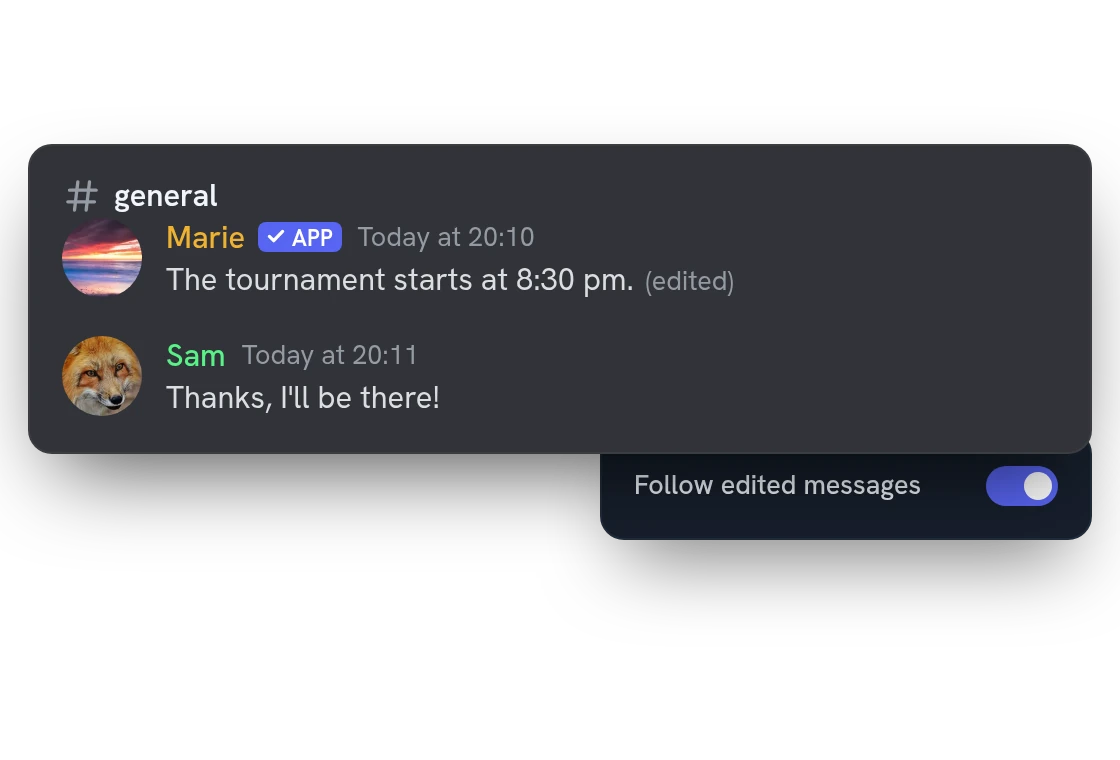
Translated messages follow edits and deletions
Edit a message and its translations are updated for the next few hours. Delete it and they disappear. You can also delete the original once it is translated, or the translations after a delay you choose.
All features
Pause a mirror without deleting it
Switch a mirror off when you need quiet. Its channels and settings stay, and you can switch it back on whenever you like.
Pictures and files go along
Photos and attachments are copied into the other channels together with the translation, up to 8 MB per message.
Voice messages translated as text
A voice message is transcribed and its translation is posted in the other channels, up to 15 minutes long.
Messages from other bots and webhooks
Bots and webhooks that post in a linked channel get their messages translated too, such as announcements or news feeds.
Cards and buttons translated too
A message with a card or buttons is translated in full: the text of the card and the labels of the buttons included.
Link previews translated
When Discord adds a preview under a link, its title and description are translated and added to the translation.
Threads of a linked channel are covered
A message written in a thread of a linked channel is translated and shared with the other channels of the mirror.
Several channels in one language
Put two English channels and a French one in one mirror: a French message is translated once and sent to both English channels.
Short replies follow the conversation
A short “ok” or “merci” is read in the language the channel used lately, so it is not translated from the wrong one.
Translations never ping anyone
@everyone, role and member mentions are shown but notify nobody, so a mirror never wakes people up by mistake.
Falls back to a plain message
No permission to post as the author? The bot sends a plain message instead, so the other channels still get the text.
Leave roles, channels and languages out
Add exceptions so that some roles, channels or languages are never translated, mirrors included.
Questions about Translation mirrors
Is the Discord translator bot free for linked channels?
Yes, for 1 mirror of up to 3 channels. Premium raises it to 5 mirrors of up to 5 channels and also translates the messages of other bots. One message gets at most 3 translations (20 with Premium), all translation features together.
How do I link Discord channels to translate between languages?
Open “Translation rules” in the dashboard, choose “Link channels”, pick each channel and its language, then save. You can also run /translation link for 2 or 3 channels. You need the Manage Server permission.
Which permissions does the translation bot need?
Where messages are written, it needs View Channel and Read Message History. In the other channels it needs Send Messages, plus Manage Webhooks (to post as the author) or Embed Links (for cards), and Manage Messages in the source channel to delete originals. /check-permissions lists what is missing.
Why is a message not translated in a linked channel?
On purpose, the bot skips a message already written in that channel's language, a very short text, or a text whose language it cannot tell. Turn on the option to send even if the text seems already translated, and check that the mirror is not paused.
Can I link more than two languages in one mirror?
Yes. Add one channel per language to the same mirror, up to 3 channels, or 5 with Premium. Every channel reads the whole conversation in its own language, whoever wrote what.
You might also like
Voice recording
Record a voice channel with one separate track per speaker, ready to edit your podcasts and sessions.
Welcome messages
Greet new members, say goodbye to those who leave, and send a private message, with banners designed in the dashboard and automatic roles.
Event log
Write edited and deleted messages, joins, role and voice changes, and bans to the channels you choose.

Try it on your server
Add Interaction Bot in one click and set it up from the dashboard.
 Add to discord