Discord logging bot: see what happened and who did it
A message vanishes, a channel disappears, a member gets banned, and the team argues about what happened. This log bot posts each event in the channel you choose: the member, the place, what changed, and who did it for bans, kicks and server changes.
- Off by default
Log deleted and edited messages, before and after
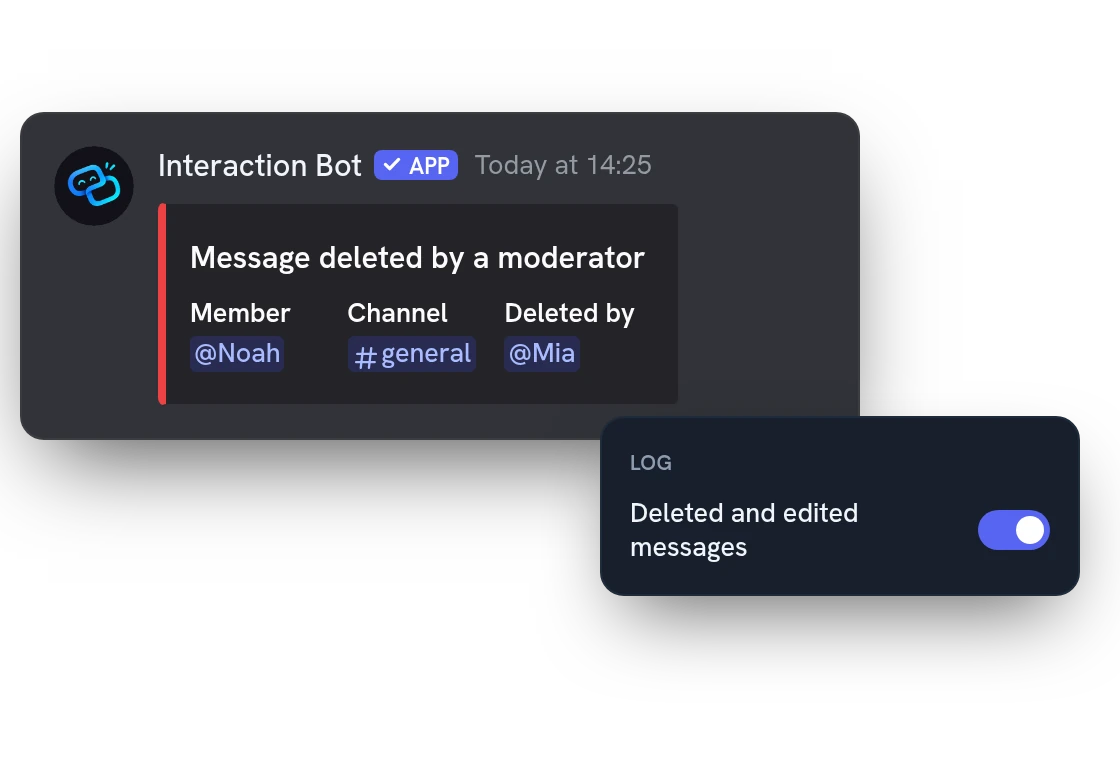
A member edits or deletes a message to hide what they said. The message log shows the old and new text, the author and the channel. When a moderator deletes someone's messages, it names the moderator too.
Member and voice logs: spot new accounts as they join
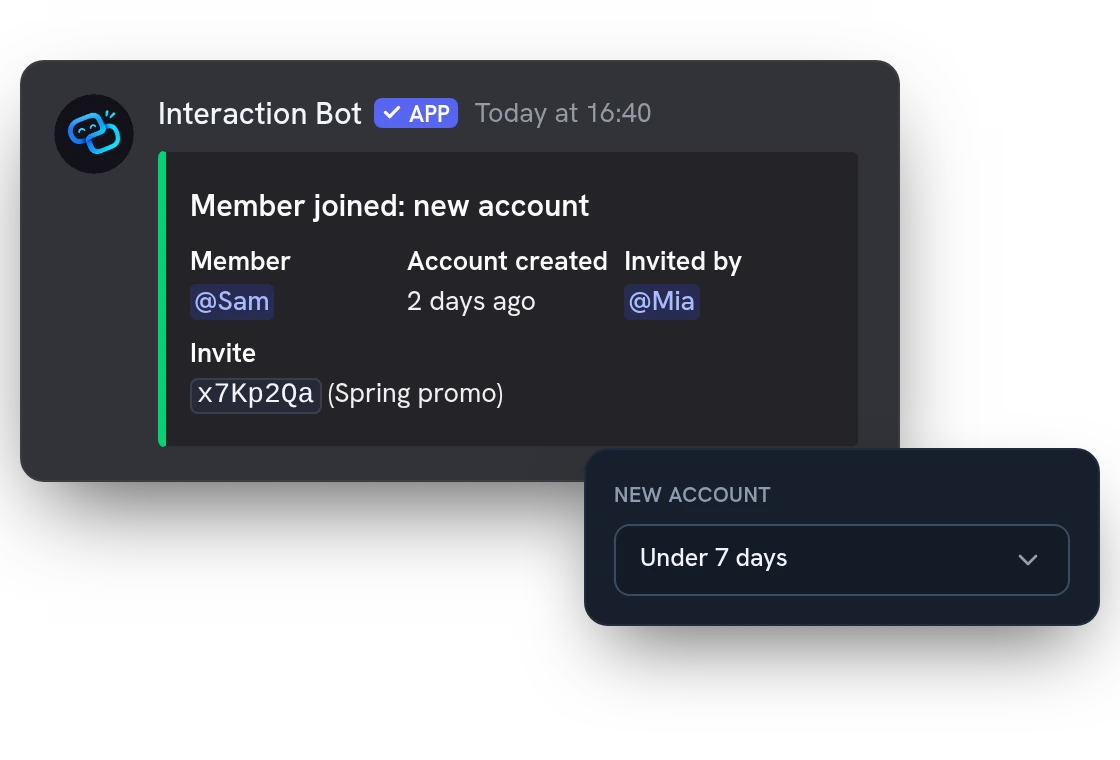
Each join shows the age of the account and marks it as new under 7 days, a limit you can change. If you track invites, it also shows the invite used. Leaves, nicknames, roles and voice moves are logged too.
Mod log: know who banned, kicked or deleted what
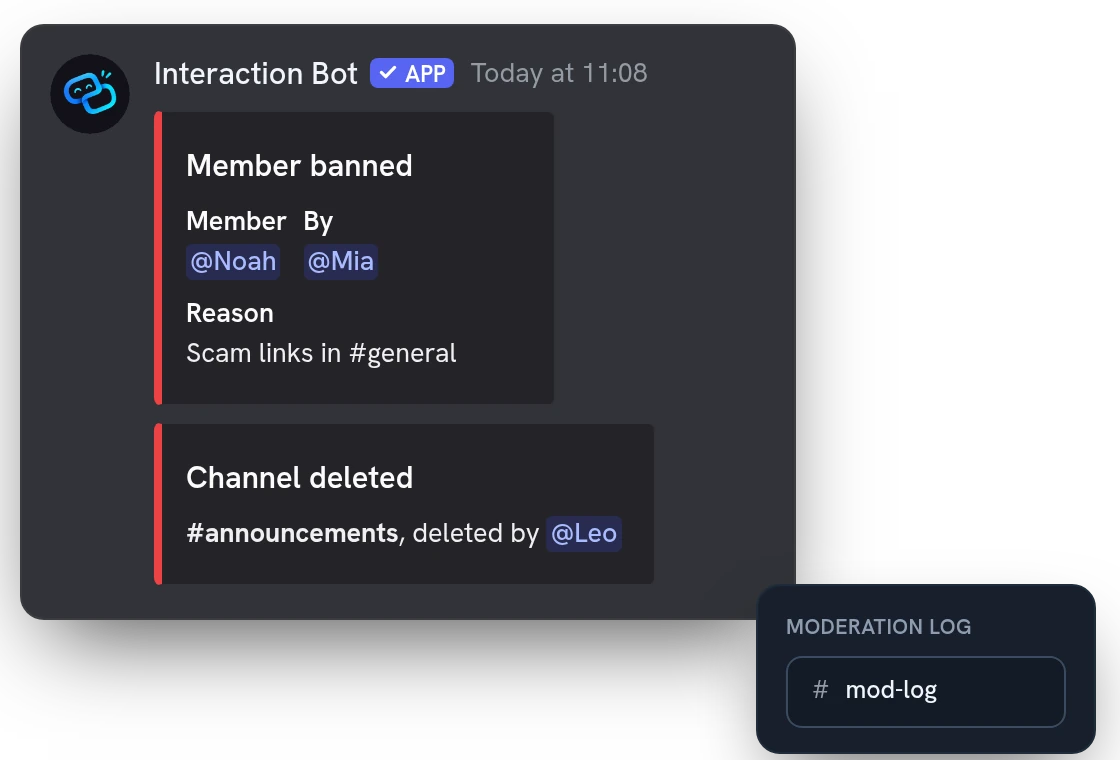
Bans, kicks and timeouts name the moderator and the reason, if one was given. Channels and roles that someone renames or deletes name who did it, from the audit log. Give each kind of event its own channel, for example one only your moderators can read.
All features
AutoMod blocks and flags, with the rule
See which AutoMod rule blocked or flagged a message, timed a member out or quarantined them, and where.
Timeouts with length and end date
A timeout shows who set it, how long it lasts and until when; lifting it early gets its own entry.
One entry for a bulk delete
When many messages are deleted at once, you get one entry with the channel, the count and up to 20 message IDs.
A channel for each single event
Beyond categories, any one event, such as bans or nickname changes, can go to its own channel.
Ignore channels, roles, members and bots
Leave noisy channels, roles, members or bots out of the log: their messages, joins and voice activity are not written.
Invites: who made them, how they ended
Each new invite shows its channel, creator and use limit. When one ends, you see who removed it via the bot or that it ran out.
Threads created, archived and deleted
Follow threads: who started one, when it was archived and when it was deleted.
Emoji and sticker changes, with the author
Added, renamed or deleted emojis, and added, edited or deleted stickers, are logged with the member who did it.
Webhooks, apps and integrations
Know when a webhook is created or deleted, or an app or integration is added, and by whom.
Server name, icon and scheduled events
A renamed server, a new icon, or a scheduled event created, changed or deleted all show up in the log.
Pauses itself, then tries again
If the bot can no longer write in a log channel, the log pauses for at least 10 minutes, then tries again.
Questions about Event log
Is this Discord logging bot free?
Yes, it is free on every server. It is off until you turn it on. To avoid flooding the channel, it writes at most 300 events per 10 minutes on a server.
How do I set up logs on a Discord server?
Open the Event log page of the dashboard, choose a default log channel, then switch on the categories you want. You can ignore channels, categories, roles, members and bots: their events are never written, even when the category is on.
Can the bot show deleted messages on Discord?
Yes, when it still has the message in memory, which is the case for recent messages. For the others you get the channel and the message ID. Text is cut at 500 characters, attachments are not copied, and muting or deafening in voice is not written.
Which permissions does the logging bot need?
In each log channel: see it, write and embed links. To name who banned, kicked or deleted something, it also needs View Audit Log. Without it, bans, channels and roles are written without the author, and kicks, timeouts and AutoMod actions are not written.
Does the logging bot keep my logs?
No. It keeps your settings, not the events: each one is posted in your log channel, which is the record for as long as you keep its messages. Make that channel private, as it contains message text.
You might also like
AI setup assistant
Tell the AI what you want in plain words: it reads your settings, shows a plan and changes nothing until you confirm, in a channel with /ai setup or in the dashboard.
Translation
Translate channels, roles, categories and mirrors into 100+ languages, or on demand with flags and commands. No limit.
Flag translation
Translate any message with a flag reaction, or let the bot add 1 to 5 flags under every message of a channel. No setup needed.

Try it on your server
Add Interaction Bot in one click and set it up from the dashboard.
 Add to discord