Discord TTS bot: let members without a mic be heard in your voice channel
Members without a mic, or who can't talk right now, stay silent in your voice channel. This text to speech bot joins it and reads their messages aloud as soon as they send them, in 14 languages.
Start the TTS bot with one command and hear your chat
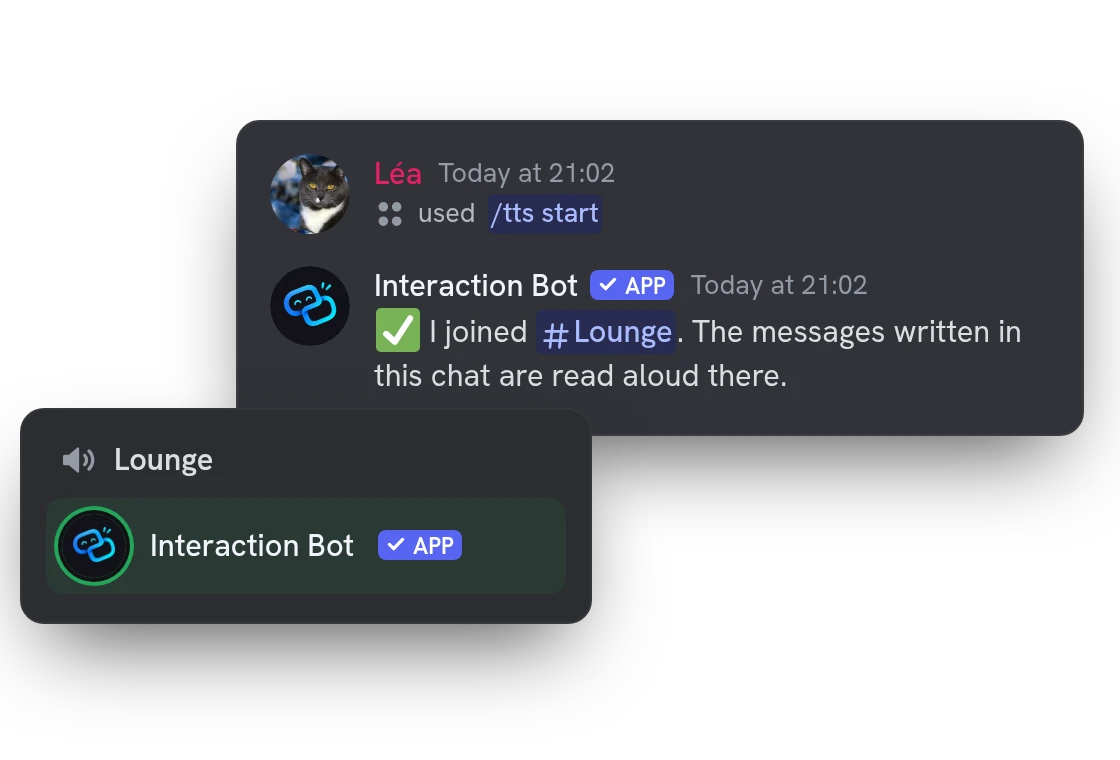
Run /tts start and the bot joins your voice channel. From then on it reads every message of this chat aloud, with no command for each one.
Discord TTS voices: each member can have their own
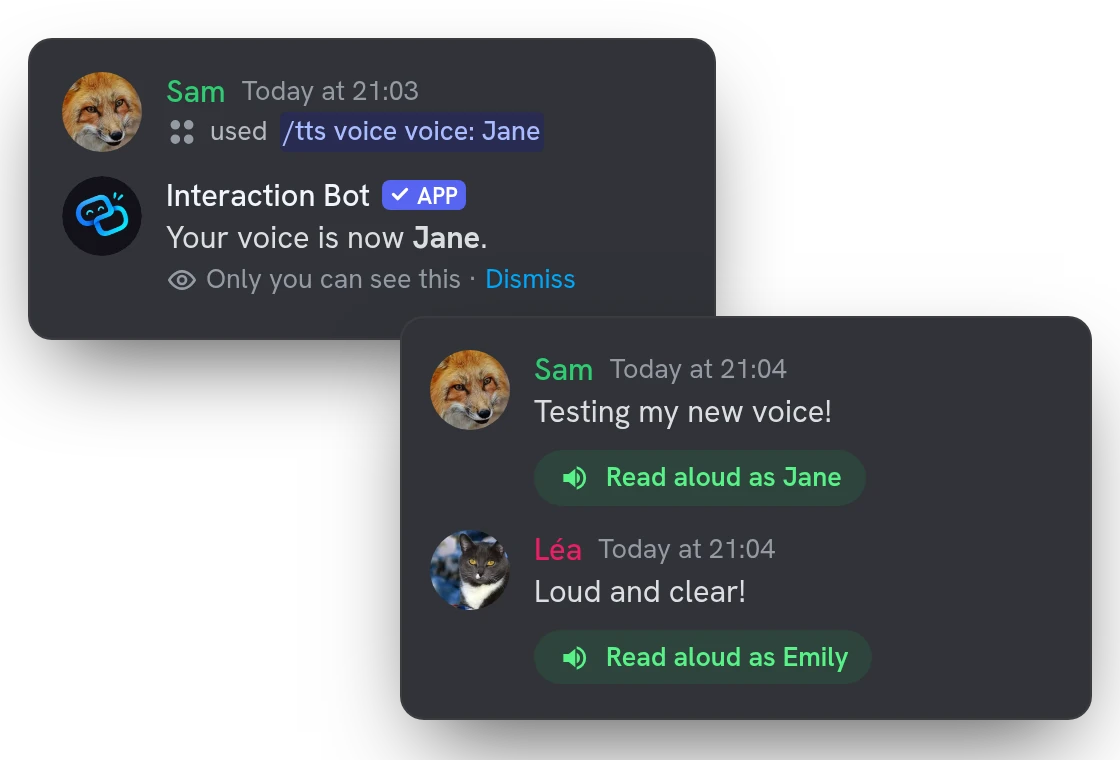
The server can read each person in the voice channel with a different voice, so listeners know who is talking, and let members choose theirs with /tts voice. The bot says “Léa said” when the author changes.
Auto-join: the TTS bot joins by itself
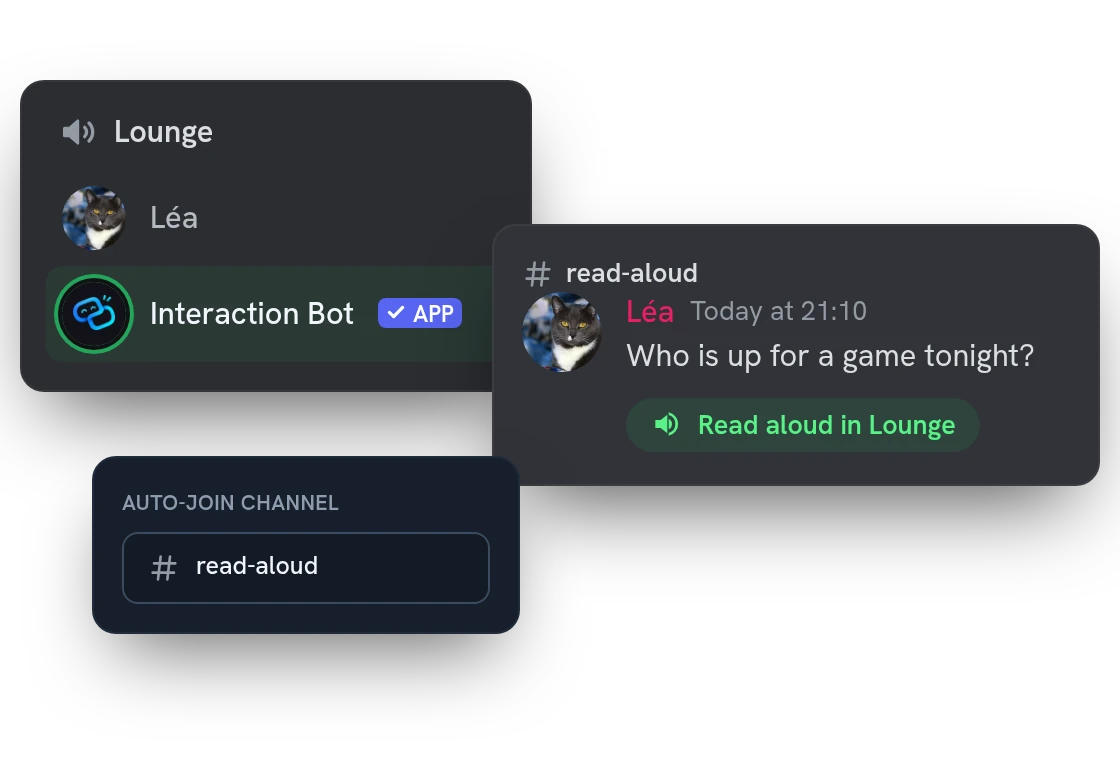
Pick a channel in the dashboard. When someone sitting in a voice channel writes there, the bot joins that channel on its own and reads the message aloud, with no command. The language is detected for each message, like in translation.
Voice cloning: have your messages read in your own voice
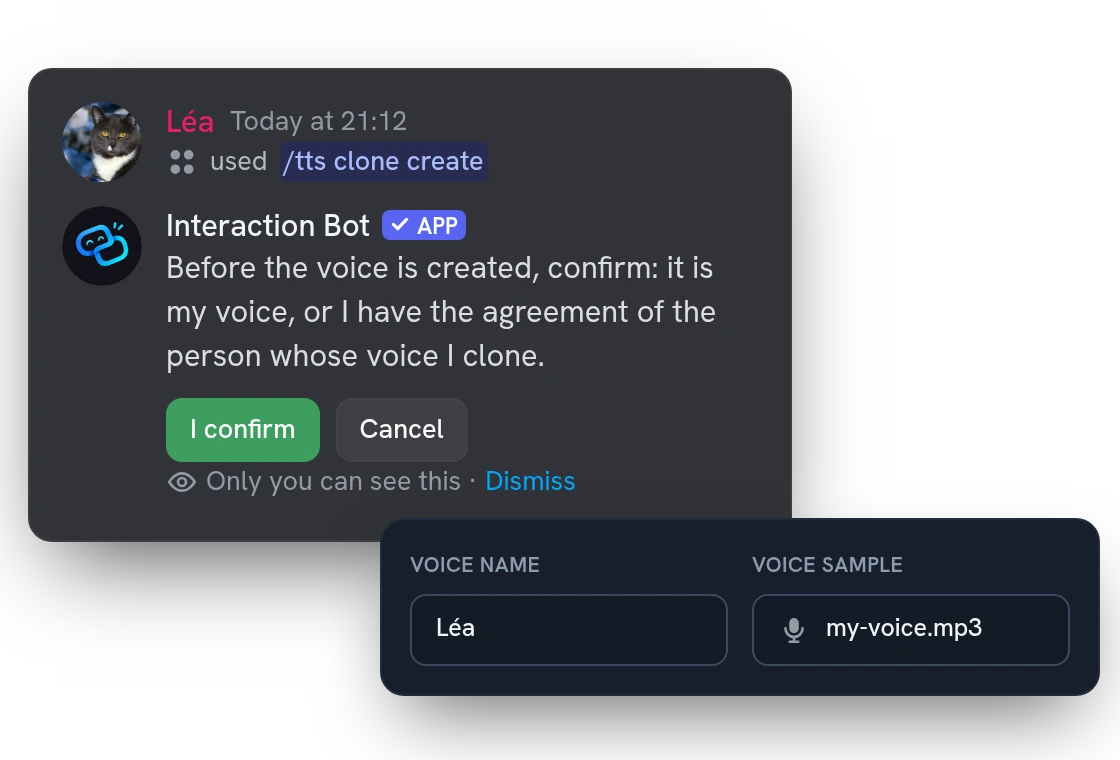
With Premium, give the bot 3 to 30 seconds of your voice and it reads your messages with it. It asks you to confirm the voice is yours before creating it.
All features
Say one text with /tts say
Type a sentence, pick a language and a voice, and the bot reads it in your voice channel, with no session to start.
Rules by channel, category or server
Read one text channel, forum or voice chat, a whole category or everywhere. The most precise rule applies.
Only members whose mic is muted
Read just the people who cannot talk: whoever has an open mic is left to speak for themselves.
Translate messages before reading them
Each message is translated into the language you set, then read aloud, so a mixed voice channel can follow.
Chat slang and mentions read as words
Abbreviations like idk or brb are said in full, and a mention is read as “mention” followed by the name.
Say what comes with a message
Choose whether the bot announces photos and files, replies, forwards and link titles, and reads hidden spoiler text.
Choose who gets read
Read only some roles, skip chosen members, and decide which bots and webhooks are read.
Prefix, emoji skip and length limit
Read only messages with your prefix, skip emojis, and answer too-long messages with a short notice.
Pitch and speed for the whole server
Make the voices lower or higher, slower or faster from the dashboard, with a reset if it goes too far.
Listen to every voice before choosing
Play a sample of each voice on the dashboard, switch off the ones you do not want and set the order they are given in.
Choose who can start, read or pick a voice
Limit starting the bot, being read in a voice session and picking a voice to chosen roles or members. Managers always keep access.
Clean up messages once they are read
Turn on automatic deletion after a delay you choose, so the read-aloud channel stays tidy. The bot needs Manage Messages.
Questions about Text to Speech
Is the Discord TTS bot free?
Yes, within limits: a free server gets 30 minutes of speech a day and 5 TTS channels, as long as a member voted for the bot on top.gg in the last 24 hours. Premium gives 3 hours, 25 TTS channels and cloned voices, needs no vote, and also reads the bot's translations aloud.
How do I set up the TTS bot in a voice channel?
Join a voice channel and run /tts start in a text channel. The bot needs the Connect and Speak permissions in the voice channel, and the dashboard lets you choose who can start it, whose messages are read and who can pick a voice.
Which messages does the TTS bot skip?
Links are removed, and by default messages from bots are skipped. So are messages without text and messages that start with / ! . or $. Members who opted out of message processing are never read.
How do I stop the TTS bot or make it leave the voice channel?
Run /tts stop. The bot also leaves 30 seconds after the last member has left, or when the speech time of the day is used up. The count restarts every day at midnight UTC.
Can I use my own cloned voice, and is the recording kept?
Yes, with Premium and from the age of 18: each member can have up to 5 cloned voices. The voice sample is kept on our own speech server, because the voice speaks with it, along with the name of the voice, its owner and the date of your consent. Deleting the voice deletes its sample, and the voice is deleted 30 days after Premium ends.
You might also like
Reaction roles
Let members pick their roles with emojis, buttons or a dropdown, in a message you build in the dashboard, with temporary roles and filters.
Translation
Translate channels, roles, categories and mirrors into 100+ languages, or on demand with flags and commands. No limit.
Welcome messages
Greet new members, say goodbye to those who leave, and send a private message, with banners designed in the dashboard and automatic roles.

Try it on your server
Add Interaction Bot in one click and set it up from the dashboard.
 Add to discord