Discord temp voice bot: Join to create channels that delete when empty
Your server fills up with empty voice channels, and members still ask a moderator to rename one, cap it or kick someone. This bot creates temporary voice channels on demand: a member joins a Join to create channel and gets a room of their own, with the controls to run it.
Temporary voice channels: a room per member, deleted when empty
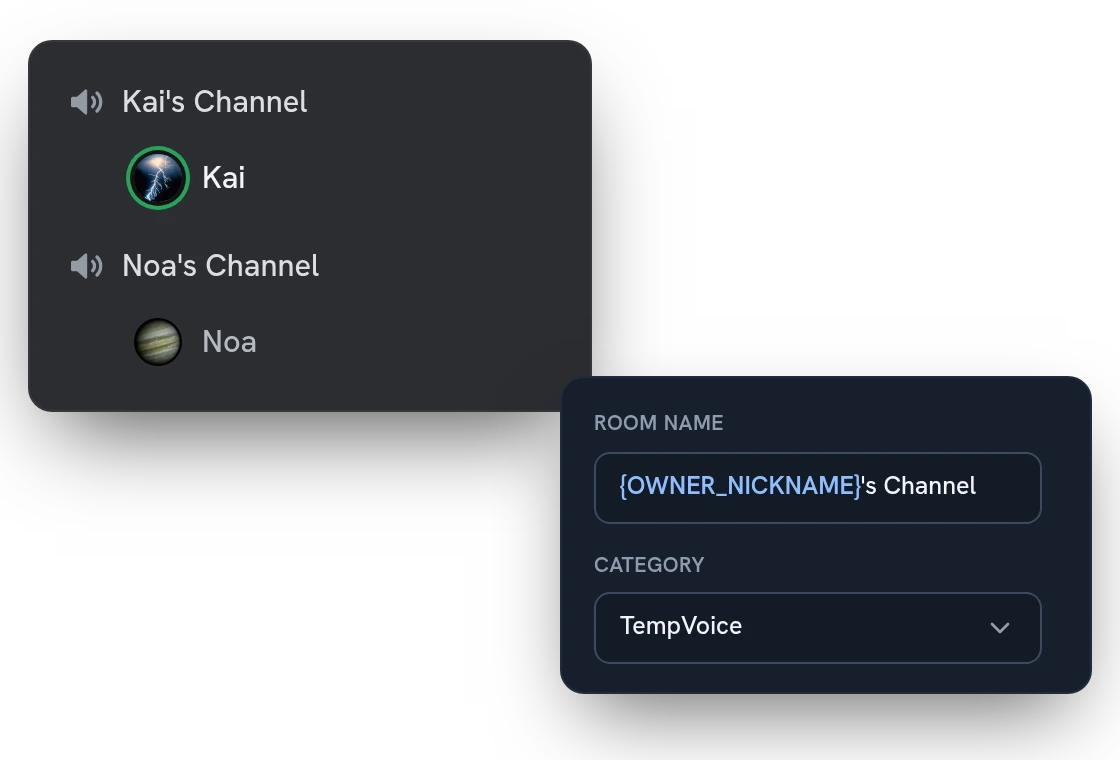
Members join your Join to create channel, and the bot builds a room named after them and moves them in. When the last person leaves, the room is deleted. Pick the name template, the category and the default user limit in the dashboard.
Voice channel controls: owners rename, limit and lock their room
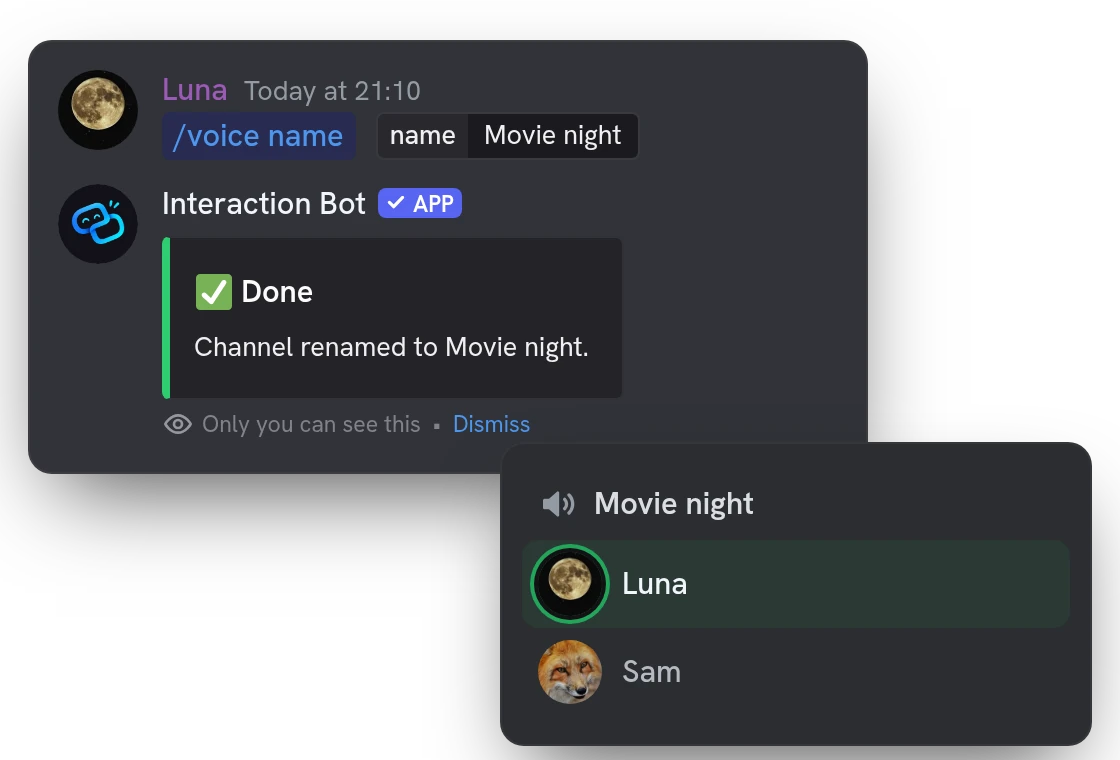
Rename it, set a user limit, lock it, hide it or pick a region. Owners use the control panel buttons in the room's chat or /voice commands, so nobody has to ask a moderator.
Private voice channels with a waiting room and password
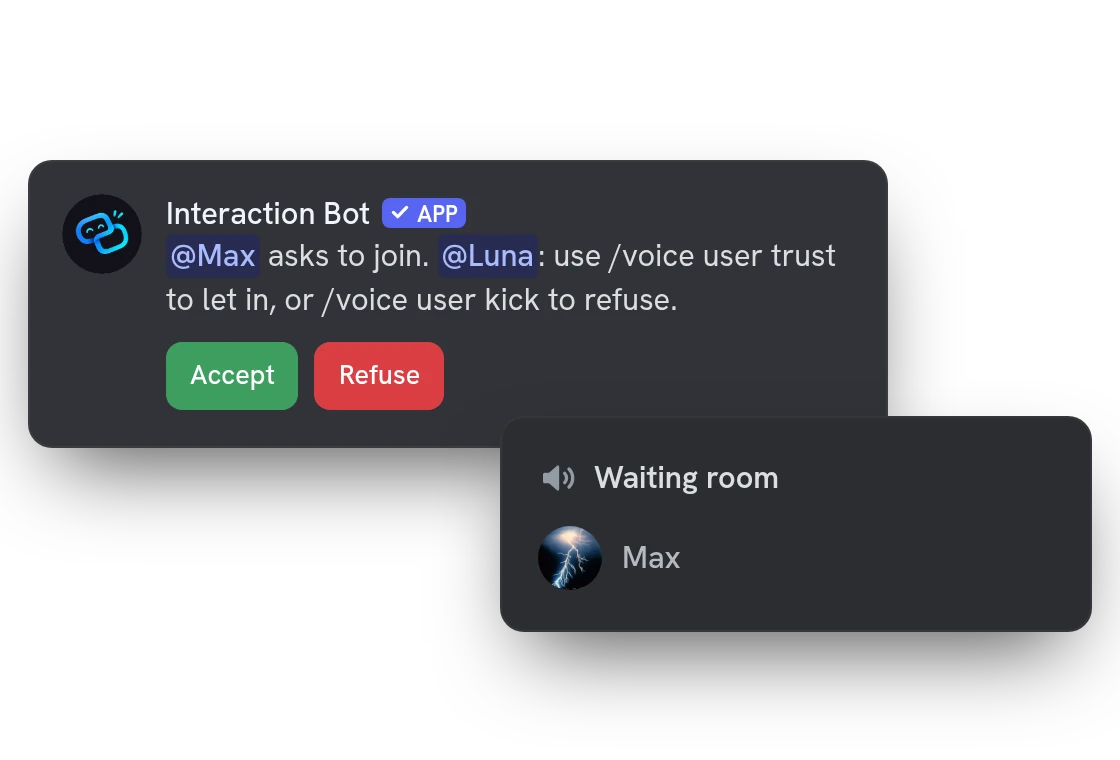
Turn on the waiting room and the room stays locked: newcomers wait there until the owner presses Accept or Refuse. Trusted members walk straight in, and a password lets friends in with /join.
Vote kick: members remove troublemakers from a voice channel
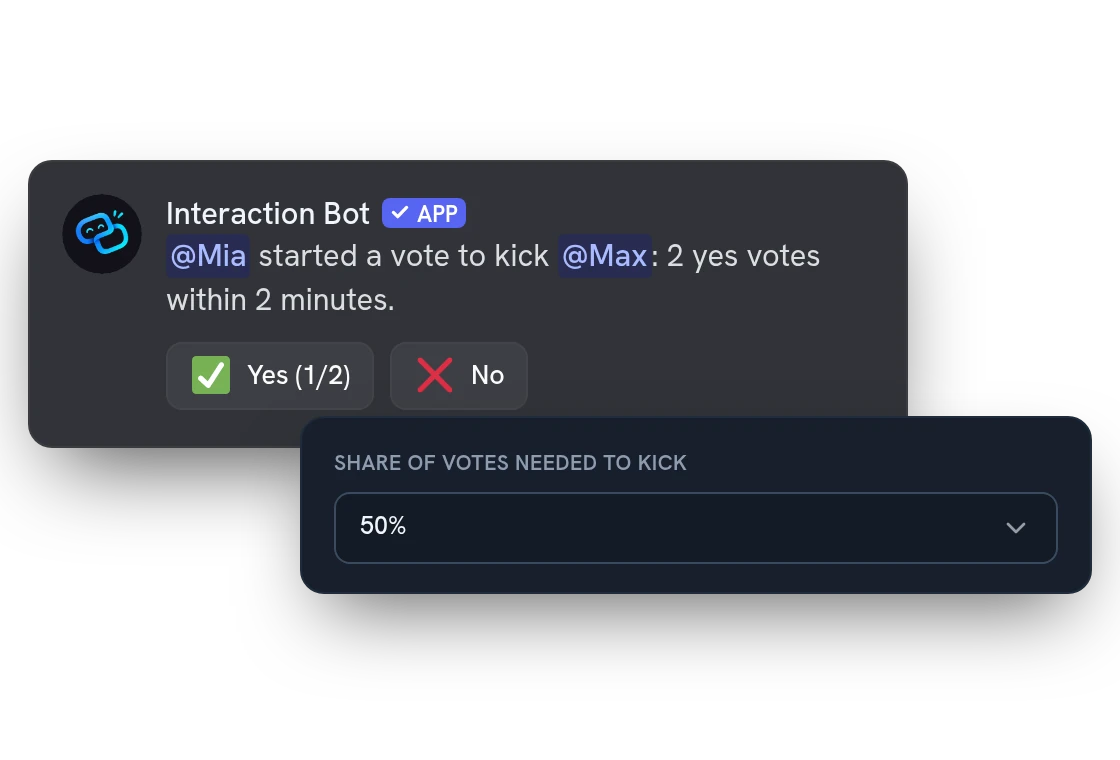
Any member of a room can start a vote kick to remove someone who spoils it, without waiting for the owner. You set the share of votes it takes, and every vote and kick can be logged in a channel of your choice.
All features
Room names from a template
Name each new room after its owner, a number, a random word or its lock icon.
Several Join to create channels
Each one has its own defaults: name, user limit, privacy, category and welcome message.
Saved room profiles
Save your room's settings under a name with /voice profile and load them back in any later room.
Trusted and blocked members
Let friends into a locked room or keep someone out. The lists can carry over to your next room.
Claim or hand over a room
When the owner leaves, anyone in the room can claim it. Owners can also give it to another member.
Invite by private message or link
Send a one-use invite by private message, or post a room invite in a public channel.
Permissions per function and role
Give each function to everyone, chosen roles or nobody, and pick the roles that can create a room.
Owner permission levels
Let owners only rename and lock, also move and mute members, or pick each permission yourself.
Name and status filter
Insults and links are starred out of room names and statuses, mentions never ping, and you can add your own words.
Moderation log
Every creation, rename, kick, vote and change of owner is written to a text channel you choose.
Temporary voice role
Give a role while a member is in a room and take it back when they leave: for everyone or the owner only.
Find a member's room
With /find, see which temporary room a member is in, when you can see and join it.
Questions about Temp voice
Is this Discord temp voice bot free?
Yes. It needs no vote on top.gg and no Premium server. Premium only adds fallback categories, used when a category reaches Discord's limit of 50 channels; without them, the bot opens a numbered copy of the category.
How do I set up Join to create on Discord, and what permissions does it need?
Run /tempvoice setup, or press Set up automatically in the dashboard and save. It creates a TempVoice category, a text channel with the control panel and the Join to create channel. You need Manage Server, and the bot needs Manage Channels, Move Members, Connect and Manage Roles.
Can I limit what members can do in their voice channel?
Yes. In the dashboard, choose which roles can create a room, and give each function (rename, lock, kick, vote kick and more) to everyone, to chosen roles or to nobody. Room names are filtered, and a moderator (anyone who can kick, ban or time out members) can never be kicked or blocked by a member.
Does the bot record my voice or remember anything?
No. The bot only creates, moves and deletes channels: it never records or analyses what you say. It does remember each owner's room settings (name, limit, privacy, trusted and blocked members) for their next room, and you can turn that off in the dashboard.
What is a Join to create voice channel?
It is a voice channel that members join to get a room of their own. The bot creates the room, moves them in and makes them its owner. When the last person leaves, the bot deletes the room.
You might also like
Anti-spam honeypot
A trap channel that no member writes in: spam bots that post there are punished automatically.
Flag translation
Translate any message with a flag reaction, or let the bot add 1 to 5 flags under every message of a channel. No setup needed.
FAQ & Q&A
Build a FAQ and let the bot answer members with /ask or automatically, in the language of the question.

Try it on your server
Add Interaction Bot in one click and set it up from the dashboard.
 Add to discord