Discord voice recording bot: record every speaker on their own track
Recording a podcast, an interview or a game night? In a single file, one loud mic or a cough over someone else ruins the take. Interaction Bot records your voice channel with every speaker on their own track, plus a mix, so you fix each voice on its own.
- Unlocked by a top.gg vote
Multi-track audio: a separate track for every speaker
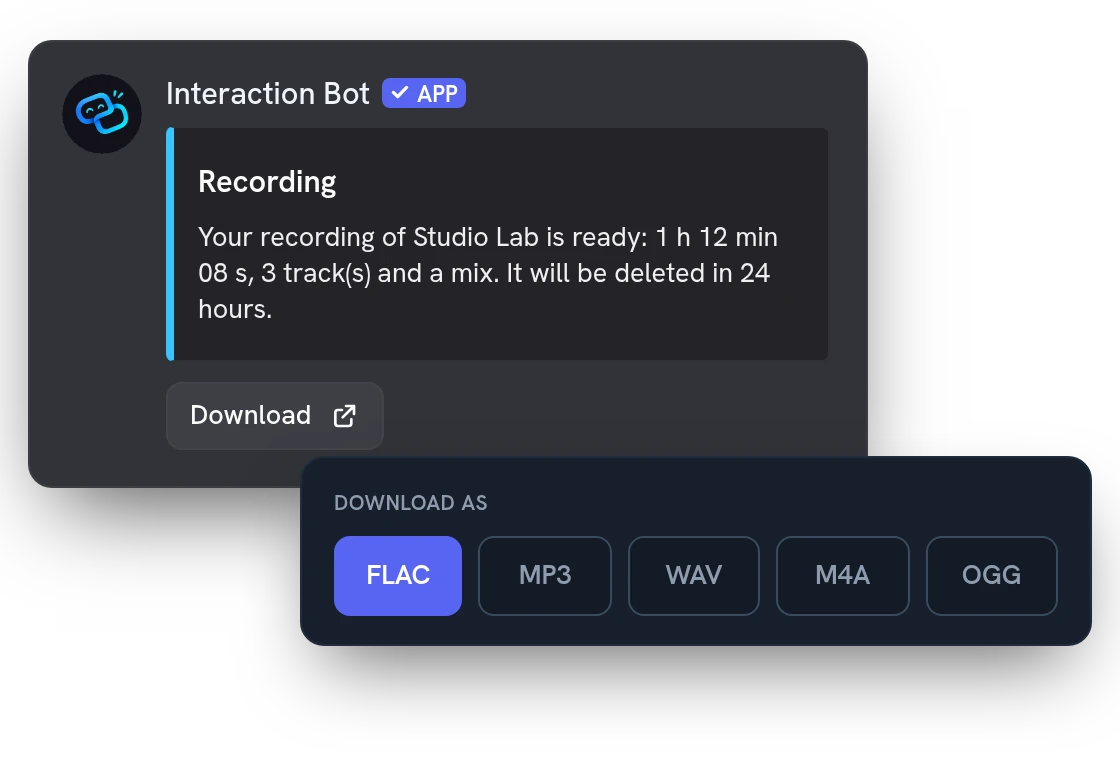
When the recording ends, the bot sends you a private link. Download each track, the mix or one ZIP as FLAC, MP3, WAV, M4A or OGG. The tracks line up in time, so they drop straight into Audacity or Reaper.
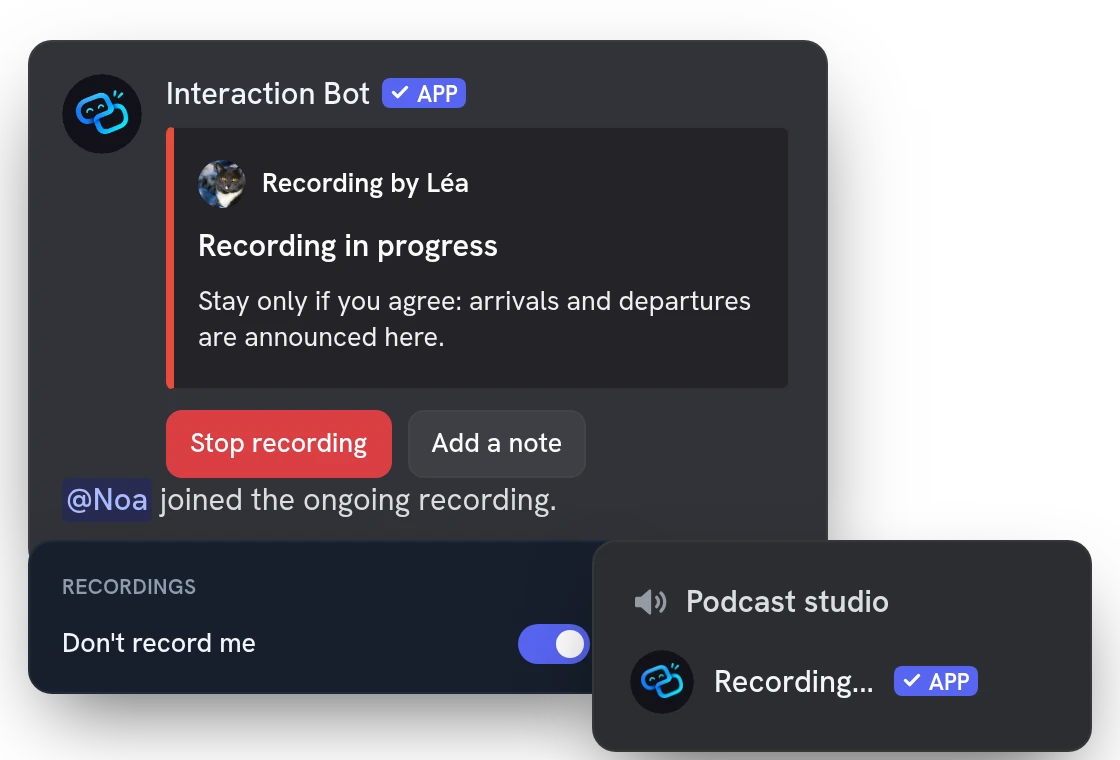
Everyone is told the voice channel is being recorded
The bot posts a panel, says it out loud in the channel and puts "Recording..." in its nickname. Everyone who joins later is welcomed with a notice. Members who don't want to be recorded can opt out on the website.
Mark moments with notes, then get a transcript
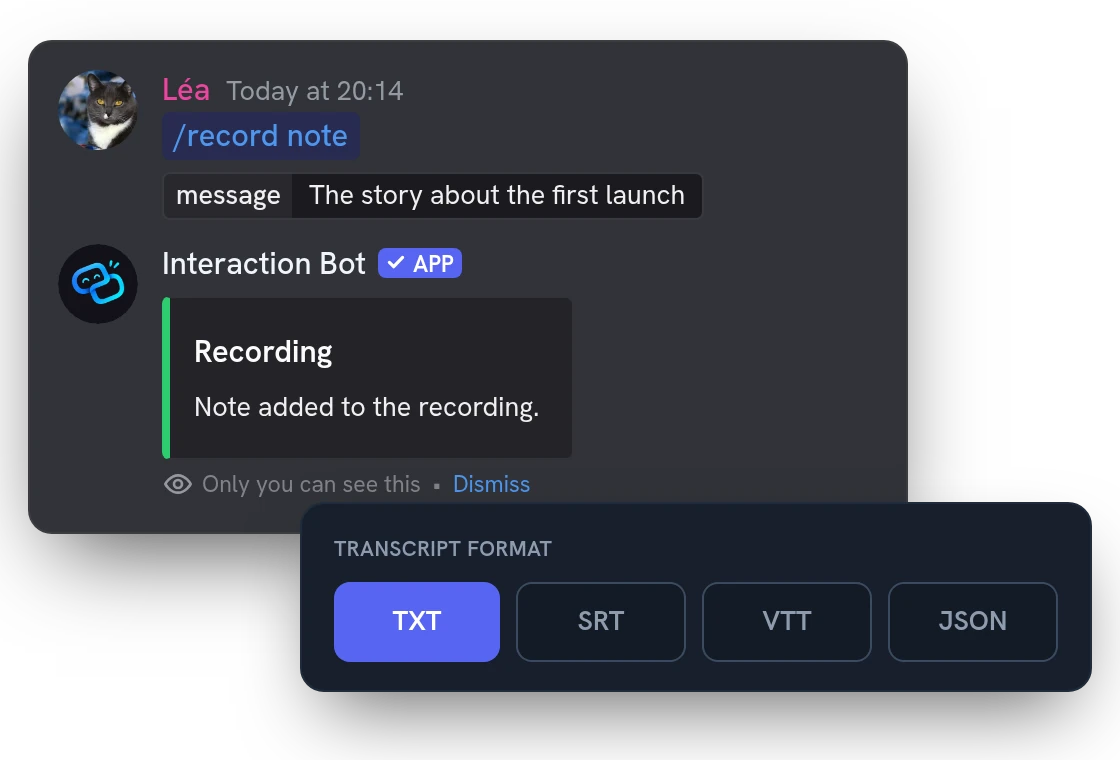
Add a note while recording to mark a good moment. Afterwards, ask for a transcript: each speaker is transcribed on their own track, with the time of each line, and exported as TXT, SRT, VTT or JSON.
Auto-record your voice channels with Premium
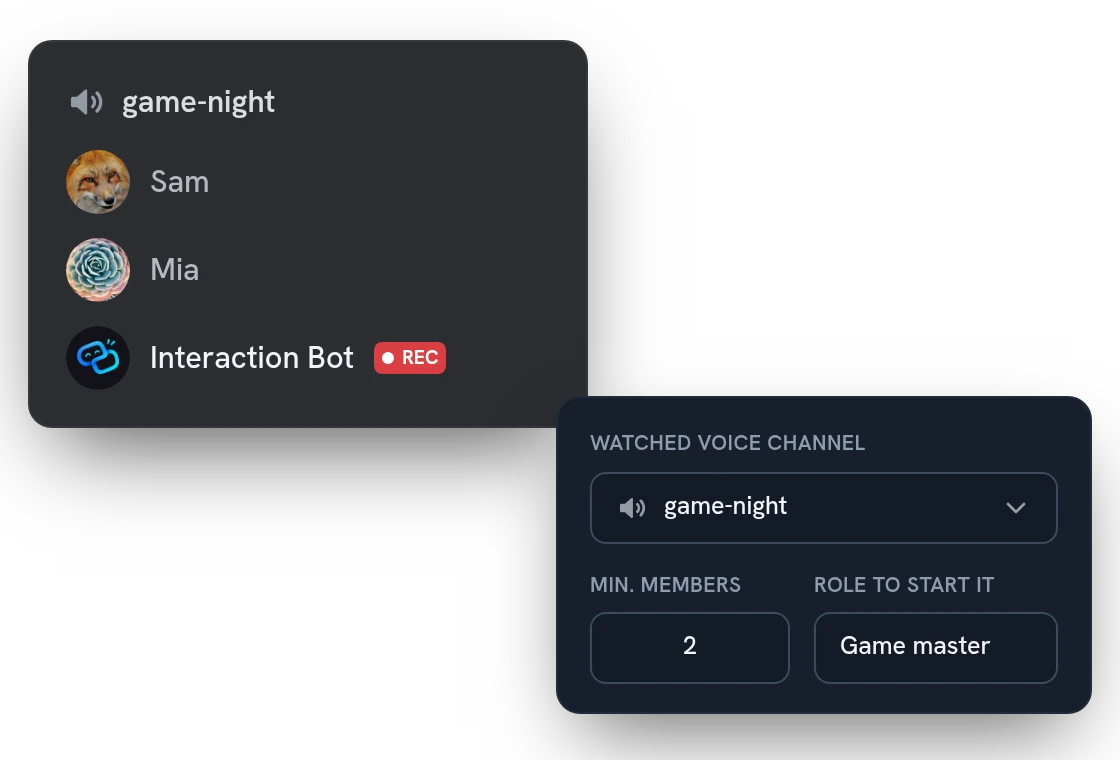
With Premium, your weekly session gets recorded even if nobody remembers to start it. The bot joins when enough members are in the channels you pick. Set the channels, the minimum and the roles that can start it alone in the dashboard.
All features
Late joiners stay in sync
Someone who joins halfway gets a track that starts at the right moment, so everything lines up in your editor.
The bot's voice on its own track
Turn it on in the dashboard to record the bot's text-to-speech voice as a separate track, apart from the speakers.
Notes become Audacity labels
The ZIP holds a labels file for Audacity and a text list of your notes, each with its time.
Click a note to jump to it
On the recording page, a click on a note plays the recording from that moment.
Listen in your browser first
Play the mix or any track on the website, with a seek bar, before you download anything.
Export a video of the call
Turn a recording into an MP4 with one tile per speaker and a ring on whoever talks. Pick the layout, theme and 720p or 1080p.
Check your setup with /record test
Checks permissions, the voice and text channels and the daily time, without starting a recording.
Choose who can record
Open /record start to everyone, or only to chosen roles and members, from the dashboard. Admins always can.
Pick the default download format
Set the format offered by default on every recording page of your server: FLAC, MP3, WAV, M4A or OGG.
Stop with a button or /record stop
The panel's Stop button and the command work for whoever started it and for members who manage the server or move members.
Keep recording in an empty channel
Continuous mode keeps recording when everyone leaves, until you stop it or the day's recording time runs out.
Saved even if the bot restarts
Audio is saved every 10 seconds: after a restart, the recording is kept as interrupted and can still be downloaded.
Questions about Discord voice recording
Is the Discord voice recording bot free, and what are the limits?
Yes. One vote on top.gg from any member unlocks it for the whole server for 24 hours, and Premium servers need no vote. A free server records up to 1 h 45 a day and Premium 6 hours; transcripts are free once a month per member, once a day with Premium.
How do I record a Discord voice channel, and who can start it?
By default, any member in a voice channel can run /record start; limit it to some roles or members in the dashboard. The bot needs Connect in the voice channel, and Send Messages and Embed Links in the text channel. Run /record test to check everything first.
Who can listen to or download a recording, and how long is it kept?
Only the member who started it, signed in on the website: there is no share link. Each recording is stored encrypted with its own key and deleted automatically after 24 hours, or 7 days with Premium. Deleting your data from your Account page removes it sooner.
How long can I record a voice channel, and when does it stop?
It stops when you stop it, 30 seconds after the last person leaves, when the server's daily recording time runs out, or after 24 hours. The continuous option of /record start (Premium) keeps recording in an empty channel. If the bot restarts, what was recorded is saved as interrupted and can still be downloaded; about 10 seconds at most are lost.
Can members opt out of recording, and what is not recorded?
Yes: members who opted out are not recorded, and neither are bots. The bot's own voice (text to speech) is left out unless you turn it on in the dashboard. Stage channels can't be recorded, and only one recording runs per server at a time.
You might also like
Translation
Translate channels, roles, categories and mirrors into 100+ languages, or on demand with flags and commands. No limit.
AI setup assistant
Tell the AI what you want in plain words: it reads your settings, shows a plan and changes nothing until you confirm, in a channel with /ai setup or in the dashboard.
Invite tracker
See who brought each new member, rank your inviters, flag fake accounts and name your invite links, with a role for each if you want.

Try it on your server
Add Interaction Bot in one click and set it up from the dashboard.
 Add to discord