Discord translator bot: auto-translate chat into every member's language
Members who don't share a language end up in separate corners, or copy every message into a translator. Interaction Bot is a Discord translation bot: it detects the language of each message by itself and posts the translation in the channel as the message arrives.
- 100 languages
- No character quota
Auto-translate only the channels, categories and roles you pick
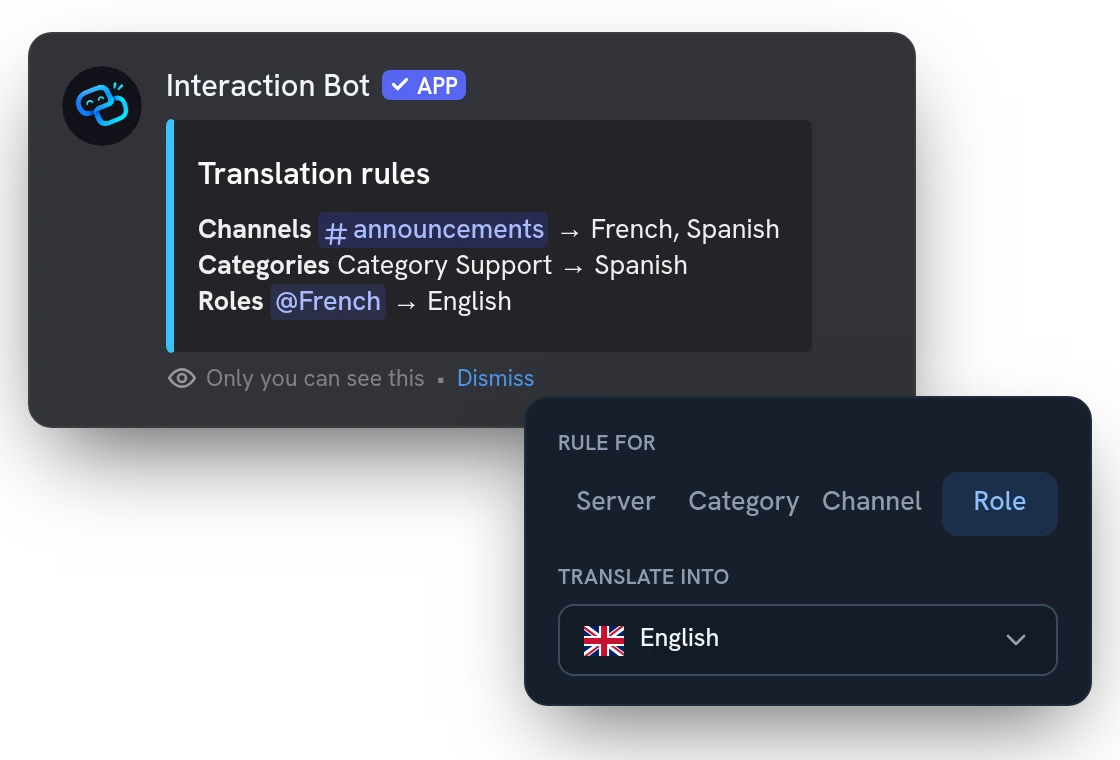
Set translation rules from the dashboard: one rule for the whole server, then a channel or a category with its own language. A role rule translates everything a group of members writes, for example your Spanish speakers.
Two-way translation: let two languages share one channel
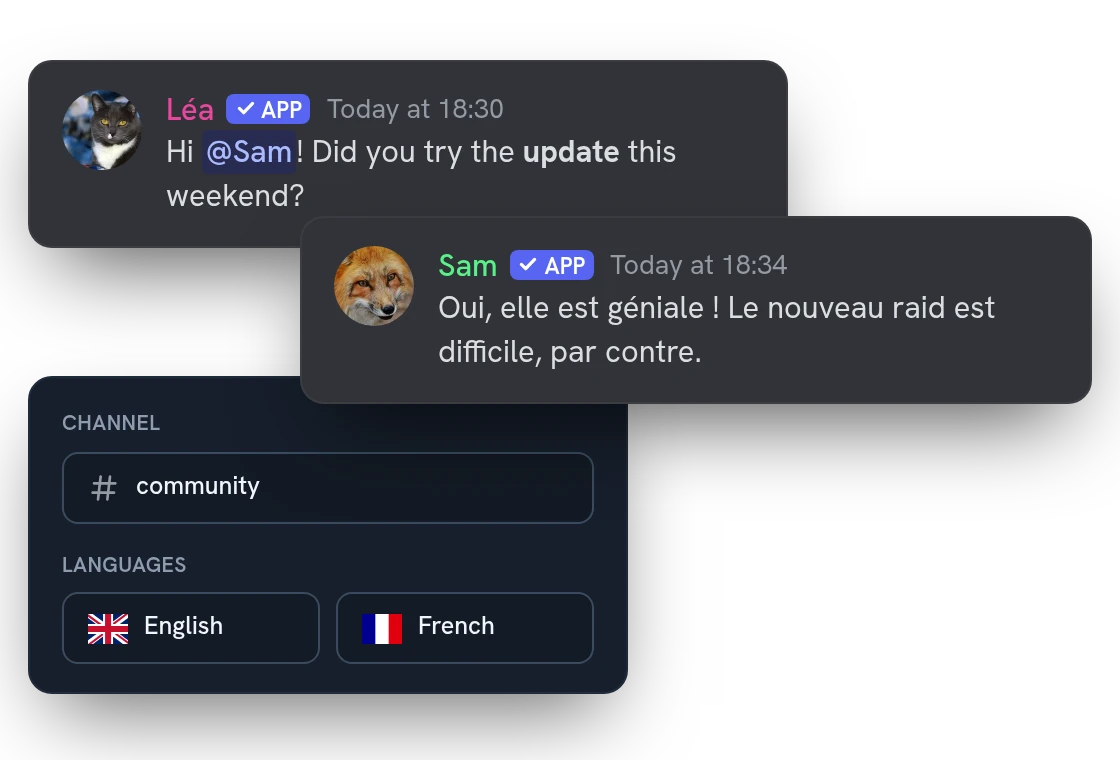
Members write in their own language and the bot translates both ways, under the author's name and avatar. Mentions, links and formatting stay intact, and a translation never pings anyone.
Keep multilingual channels readable: threads or auto-delete
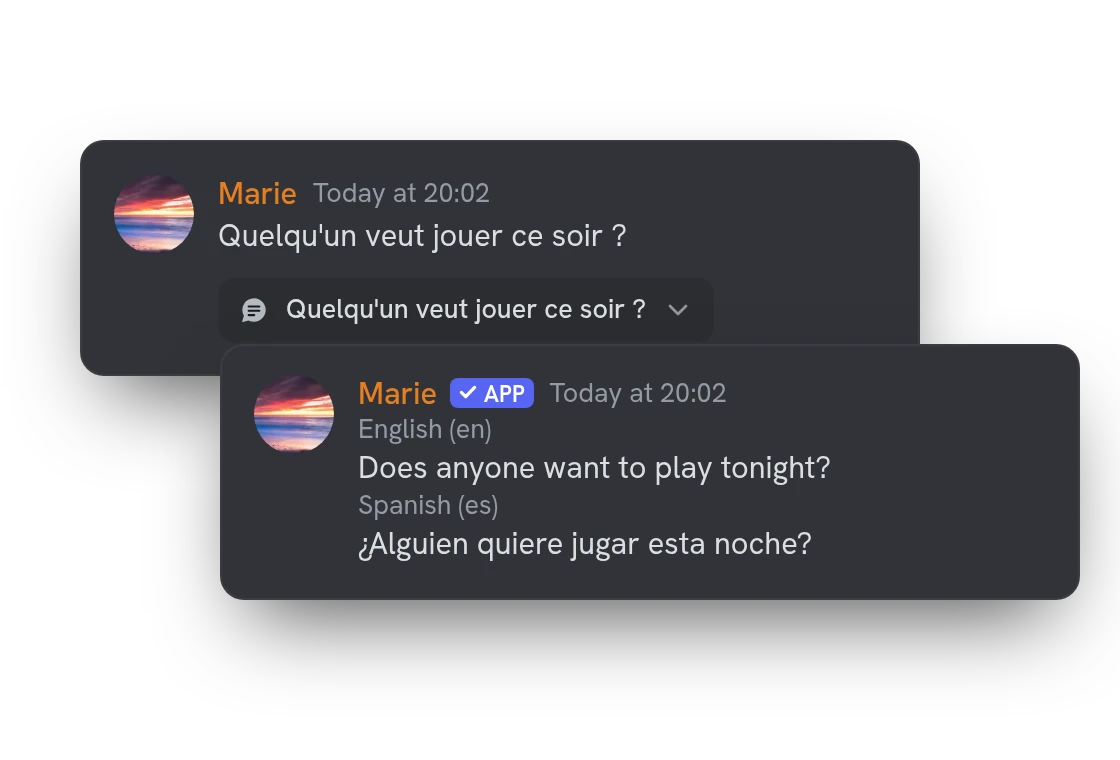
With several languages, translations can bury the conversation. Put them in a thread under the original message, or let the bot delete them after a delay you choose.
All features
Detection that reads the chat context
Short or ambiguous messages are judged with the author's recent messages; you choose how many it looks at.
Translations follow edits and deletions
For a few hours after a message is translated, editing it updates the translation and deleting it removes the translations.
Pictures and files come along
Attachments are copied next to the translation, up to 8 MB in total, so the message stays complete.
Embeds, buttons and menus
The text of embeds, buttons and select menus is translated too, as well as link previews that appear later.
Messages from bots and webhooks
Let a rule translate what other bots and webhooks post, such as announcements or feeds.
Exceptions by channel, role or language
Leave out channels, members with certain roles, or a language the detection often confuses.
Minimum length per channel
Set how many characters a message needs to be translated, so an "ok" or a "lol" is left alone.
Replace the original message
Delete the original after it is translated, so only the translated text stays. Messages that need no translation are kept.
A third language goes where you choose
In a two-language channel, a message in another language goes to the first language, the second, or nowhere.
Guided setup in one command
/translation setup asks what you want (two languages in a channel, one channel per language, the whole server) and does it.
Voice messages translated
A Discord voice message is turned into text and translated; the translation can also be read aloud.
Translate on demand with a right-click
Apps > Translate on a message gives you a private translation in your language, set with /personal-language.
Questions about the Discord translator bot
How do I set up a translator bot on Discord?
Add the bot, open Translation rules on the dashboard, click Add a rule, then pick what to translate and the language. You can also run /translation setup in Discord. The bot needs to read and send messages in those channels, plus Manage Webhooks to post under the author's name.
Is the Discord translator bot free?
Yes: translation has no character quota, no daily cap and no vote. A free server gets 30 rules, a message translated into 3 languages at most and 1 mirror of 3 channels; Premium raises that to 200 rules, 20 languages and 5 mirrors of 5 channels, and adds translation of bots and embeds plus a blacklist.
How accurate is the auto translation?
The bot detects the language by itself among 100 and translates with neural models. Slang, abbreviations and very short messages are the hardest cases, and detection is generally right from about ten characters. Premium servers always get the best model.
Why is a message not translated?
On purpose, the bot skips links alone, messages already in the target language and texts too short to detect, and messages from bots need Premium. If a whole channel stays silent, run /check-permissions to see what the bot is missing there.
Does the translation bot keep my members' messages?
No. Our own models translate them on our own servers, and the text is never saved to a database, logs or disk, only held briefly in memory as a cache. Any member can opt out from the Account page of the website, and the bot then stops translating their messages.
You might also like
Invite tracker
See who brought each new member, rank your inviters, flag fake accounts and name your invite links, with a role for each if you want.
FAQ & Q&A
Build a FAQ and let the bot answer members with /ask or automatically, in the language of the question.
Discord Activity
Launch the Interaction Bot activity in a voice channel: live transcript, live translation, recording and playback, in one panel.

Try it on your server
Add Interaction Bot in one click and set it up from the dashboard.
 Add to discord