Discord speech to text bot: transcribe your voice channel live
Voice chats leave nothing behind: latecomers miss the plan, and nobody remembers who agreed to what. Interaction Bot is a Discord transcription bot that turns voice into live text, speaker by speaker, so anyone can read what was said.
- Free with a top.gg vote
Live voice transcription under each speaker's name
The bot turns speech into text and posts each sentence under the name and picture of whoever said it, in the voice channel's chat or in a channel you choose. Each speaker's language is detected by itself. Automatic transcription starts when someone joins.
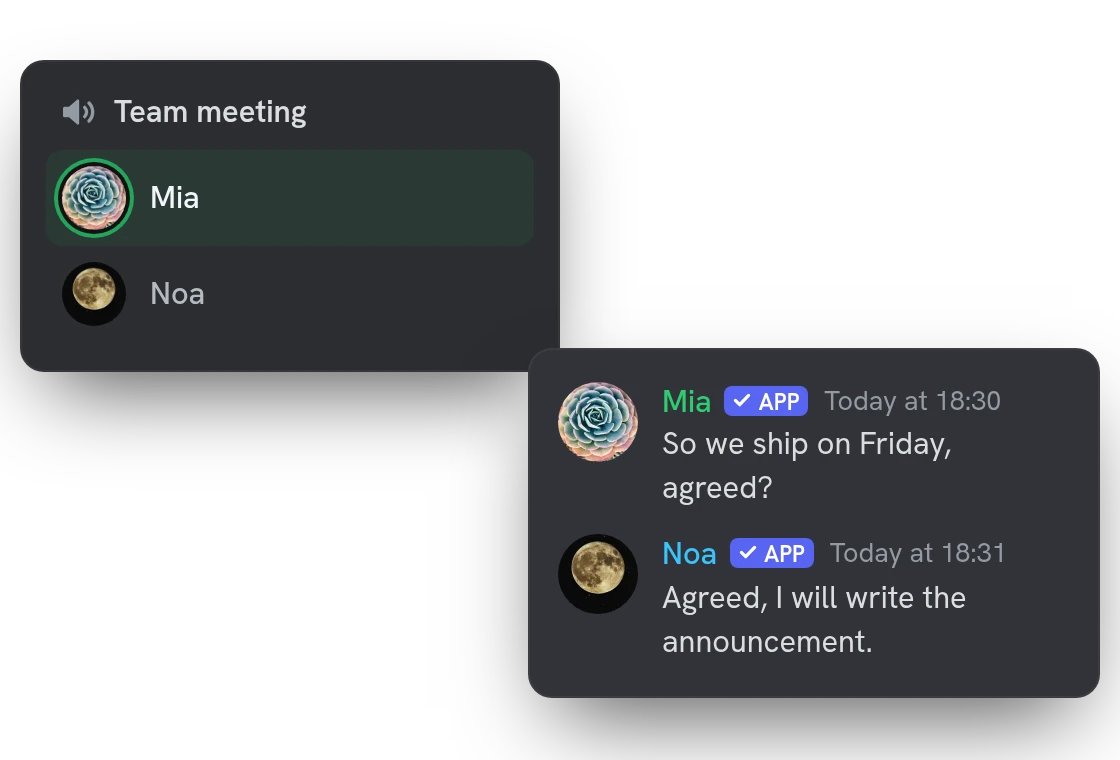
A live transcription view inside the voice channel
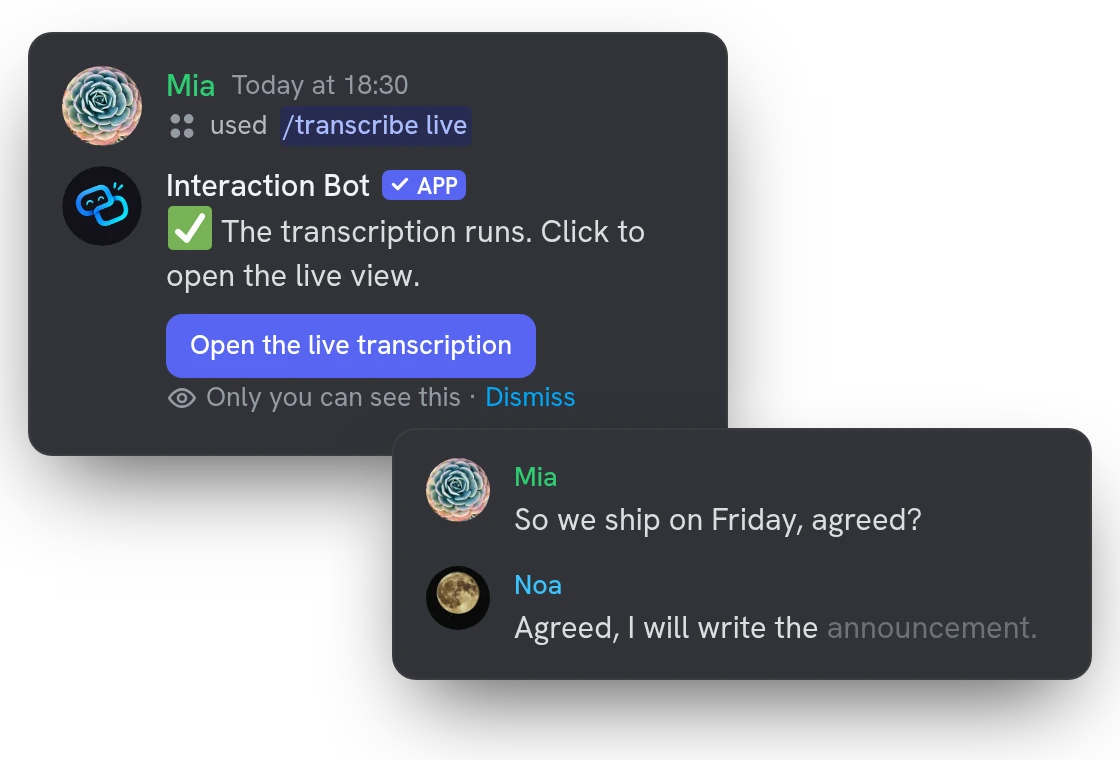
One command opens the Activity in your voice channel and starts the transcription if none is running. Sentences appear line by line with each speaker's picture, and the one being spoken fills in word by word.
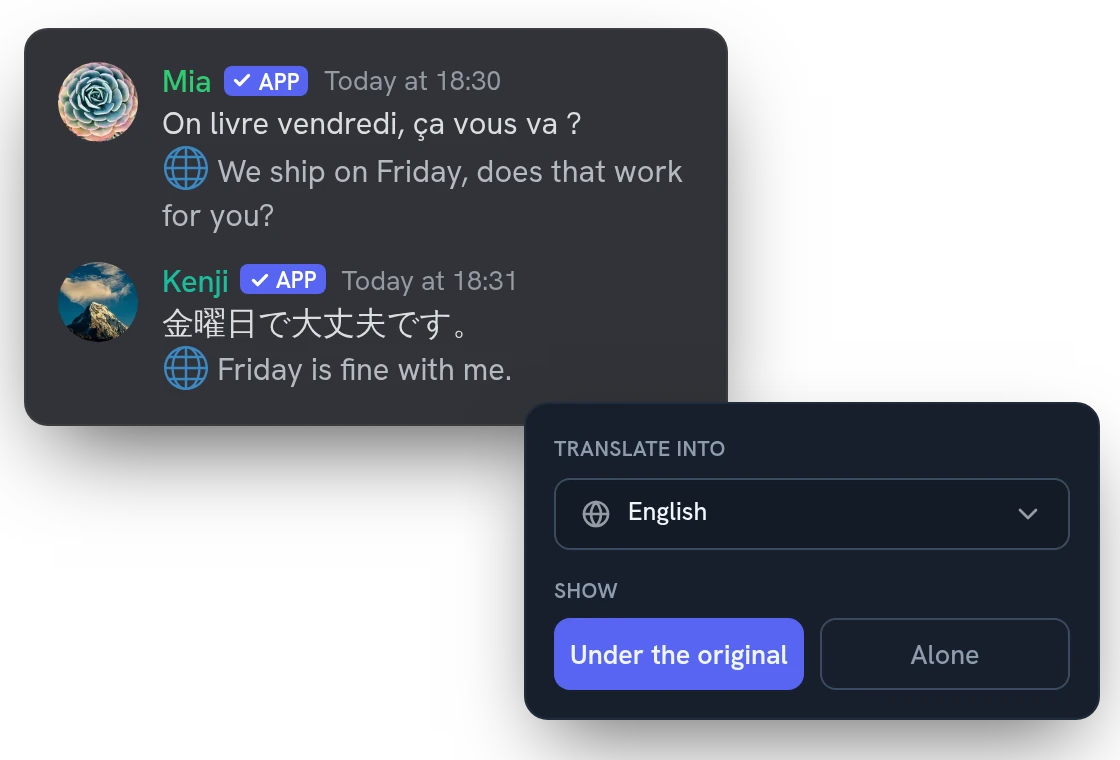
Translated voice transcripts in your own language
With Premium, each line is translated into the language you choose, alone or under the original, and each viewer of the live view can pick their own language.
All features
Transcribe a voice message on demand
Right-click a voice message, then Apps: you get the text privately, with a translate button. Up to 2 minutes, 15 with Premium.
Transcribe every voice message
Turn it on in the dashboard and each voice message gets its text posted as a reply right under it.
Several languages in one call
Speakers can switch languages mid-call, or you set one language by hand when everyone speaks the same.
Name and picture, plain text or a card
Post each line as a webhook with the speaker's name and picture, as a plain message, or as an embed card.
Post in a channel, a forum or voice chat
Send the text where it suits you: a text channel, a forum, or the chat of the voice channel being transcribed.
Different rules for different places
Transcribe one voice channel, a category or the whole server, each with its own text channel. Premium adds more rules.
Hesitations trimmed, other bots ignored
Hesitations like um and hmm are cut from the start and end of a sentence, and the voices of other bots are ignored.
Everyone is told it has started
The bot says out loud in the voice channel that the transcription has started, so everyone knows it is on.
Latecomers can read what they missed
Open the live view after the start and the lines already said are there, up to the number you keep on screen.
A ring shows who is talking
In the live view, a ring lights up around the picture of whoever is speaking, following the real voice, not the text.
Choose who can open the live view
Everyone in the voice channel or only server managers, with or without pictures, and the lines you keep on screen.
No audio and no transcript stored
Your voice goes to our speech service and is not kept. No transcript is saved in a database; the text is posted in your channel.
Questions about Speech to Text
How do I transcribe a Discord voice channel?
Join the voice channel and run /transcribe live to open the live view, or /transcribe start to post the text in a channel. To start it by itself when someone joins, run /transcribe auto enable or use the dashboard. One voice channel per server is transcribed at a time.
Is the Discord speech to text bot free?
Yes, within a daily limit shared by the whole server: 30 minutes, or 3 hours with Premium, reset at midnight UTC. A free server also needs a top.gg vote from a member in the last 24 hours, while Premium needs none and adds translation and several dashboard setups. When the time is up, the bot leaves the voice channel and says when it can start again.
What permissions does the transcription bot need?
Connect and Speak in the voice channel, and Send Messages in the channel where the text goes. Manage Webhooks lets it post under each speaker's name and picture (otherwise it sends plain messages), and Embed Links is needed for the embed style. To turn on automatic transcription, you need Manage Server.
Does the bot keep my audio or the transcript?
No. The audio goes to our own speech-to-text servers and is not kept, and the bot stores no transcript: the text only lives in the channel where it is posted. The bot announces the start out loud, but the “Do not record me” opt-out covers recordings only, so tell your members the channel is transcribed.
Can I save or download the voice transcript?
The transcript is made of normal messages in your text channel, so you can copy or keep them like any message. The live view has no download button and keeps its lines only while the transcription runs.
You might also like
Anti-spam honeypot
A trap channel that no member writes in: spam bots that post there are punished automatically.
Voice recording
Record a voice channel with one separate track per speaker, ready to edit your podcasts and sessions.
Flag translation
Translate any message with a flag reaction, or let the bot add 1 to 5 flags under every message of a channel. No setup needed.

Try it on your server
Add Interaction Bot in one click and set it up from the dashboard.
 Add to discord