Discord AI setup assistant: say what you want, confirm, done
Bot settings are spread over many pages, and finding the right one takes longer than changing it. Tell the AI setup assistant what you want in plain words: it reads your settings, writes a plan and changes nothing until you say yes.
Set up your Discord bot by chat, with /ai setup or the dashboard
Run /ai setup, or press Set up with AI in /help, then write your request below the message. Prefer the dashboard? Open the assistant from the Overview page.
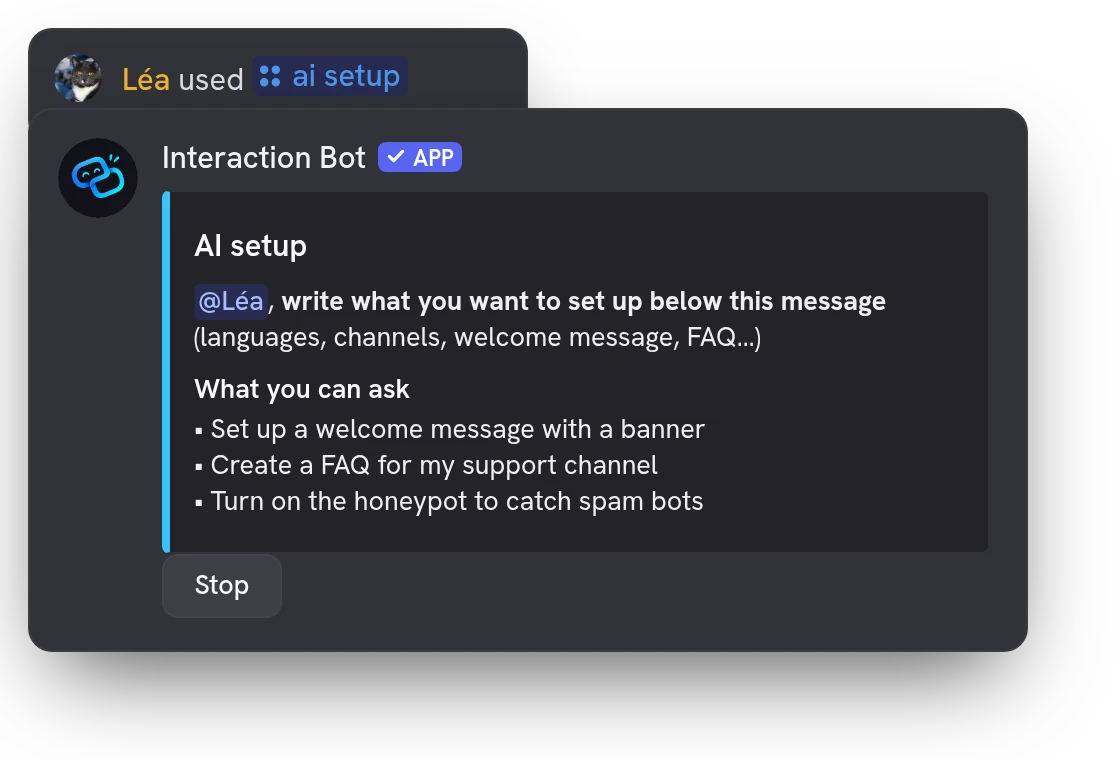
Change several bot settings in one sentence
Mix features in a single request: voice transcription, voice messages, a FAQ, the honeypot. The assistant finds your channels and roles by name, so you never hunt for the right settings page.
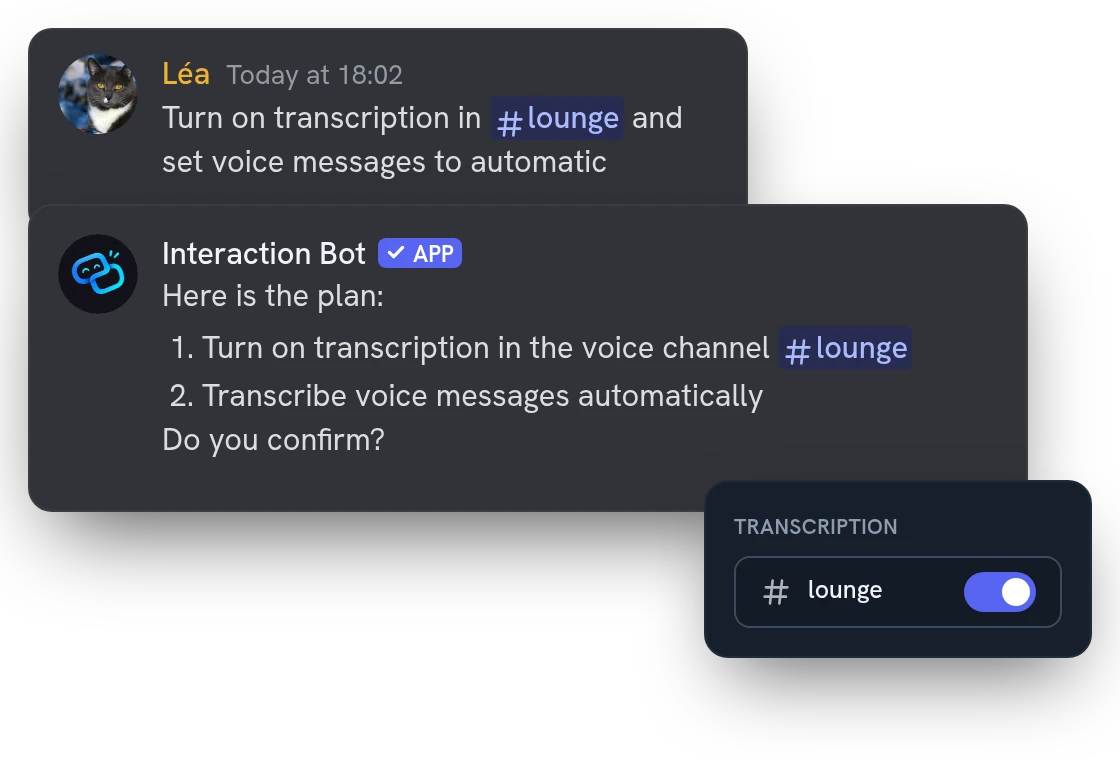
Confirm the plan, then see exactly what changed
After your yes, it lists every change: a check when it worked, a cross and the reason when it did not. You know what is done and what still needs you.
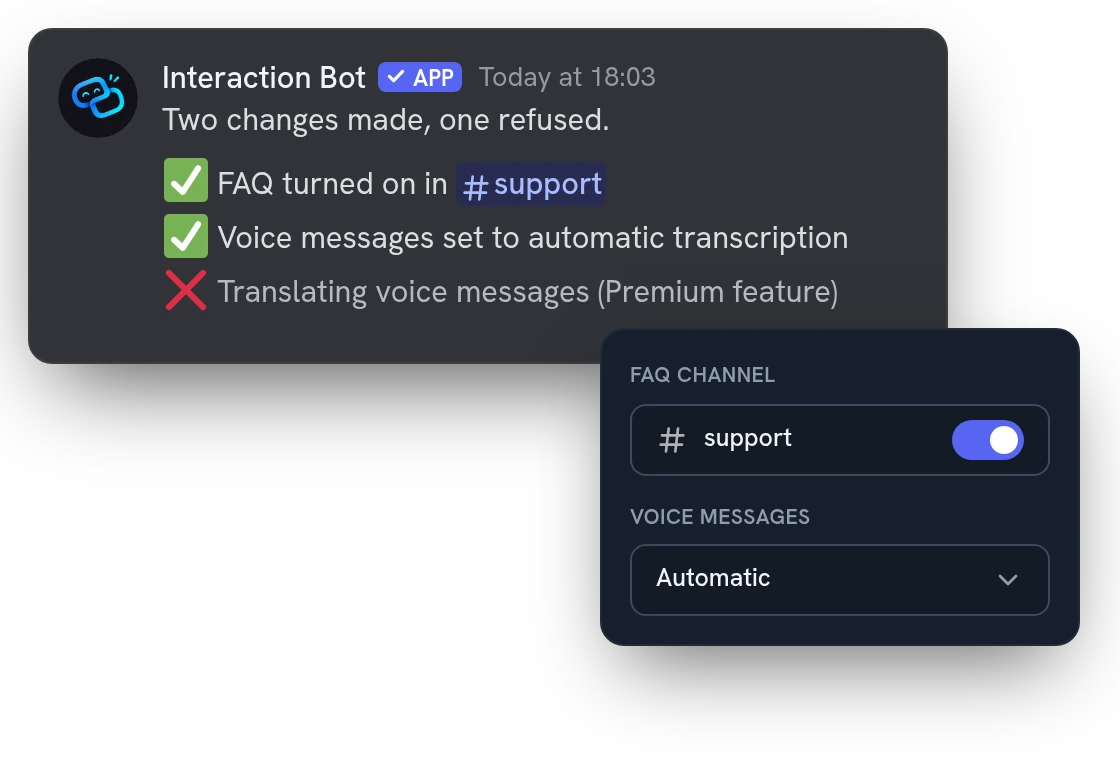
All features
Answers in the language you write
Write in your own language and it replies in it, plan and results included, whatever your server's language.
Asks before it guesses
If your request is vague or several channels could match, it asks one or two short questions instead of choosing for you.
Changes one line, keeps the rest
Adding one channel to a translation list leaves every other line untouched, so nothing you had is lost.
Sets up every kind of translation
Channels, categories, roles, mirrors and flags: say who writes where and in which language, and it builds it.
Builds welcome and goodbye messages
It turns them on in a channel with a short text; boost and role messages are covered too.
Prepares reaction role panels
It saves the panel as a draft and asks you before posting it in a channel.
Enables the honeypot after a clear yes
It explains that the honeypot kicks whoever writes in the trap channel, and turns it on only once you agree.
Sets up the voice features
Voice channel transcription, voice messages and text to speech: by channel, by category or for the whole server.
Switches features on or off
Turn a feature on or off for your server with one sentence, without opening its page.
Deleting and creating always wait for you
Removing a setting or creating channels on Discord is listed in the plan and done only after your yes.
Answers questions about the bot
Ask what a feature does, what its limits are or what needs Premium; it answers from your real settings.
Undo for one hour in the dashboard
Most changes made from the dashboard panel have an Undo button, for one hour, that restores the previous settings.
Questions about AI setup assistant
Is the Discord AI setup assistant free?
Yes, with or without Premium. A server gets 50 requests a day (1000 with Premium) and each person 40 a day across all servers, shared between /ai setup and the dashboard. A request is one of your messages that the assistant answers.
Who can use the AI setup assistant on Discord?
Members with Manage Server or Administrator. In a channel, the bot needs View Channel, Send Messages, Embed Links and Read Message History, only the person who started the conversation is read, and one conversation runs per server.
Can I undo what the AI assistant changes?
It changes nothing until you confirm its plan, and a plan you do not confirm within 10 minutes expires. Press Stop to end the conversation (you or any member with Manage Server): changes already made stay in place. In the dashboard, each change has an Undo button for one hour.
What can't the AI setup assistant do?
It cannot change your Premium status, give permissions or answer questions that are not about Interaction Bot. The settings it changes keep their own rules: translating voice messages, for example, needs Premium. The newer translation rules are read-only for now: edit them on the Translation Rules page.
Does the AI assistant send my data to an AI company?
Yes: your messages, its answers and the settings it reads go to an AI model provider to write each answer. The bot forgets the conversation when it ends, and the website keeps only counters and a 90-day log of the changes, never the text. Members who opted out of message processing cannot start it.
You might also like
Discord Activity
Launch the Interaction Bot activity in a voice channel: live transcript, live translation, recording and playback, in one panel.
User app
Install the bot on your account and translate any message with a right-click, even in DMs.
Voice recording
Record a voice channel with one separate track per speaker, ready to edit your podcasts and sessions.

Try it on your server
Add Interaction Bot in one click and set it up from the dashboard.
 Add to discord