Discord welcome bot: welcome messages and a banner for each new member
New members land in a silent server, and you can't greet each one yourself. This Discord welcome bot posts your welcome message in the channel you choose, with a banner drawn for each person, says goodbye when they leave, and gives them their first roles.
- Off by default
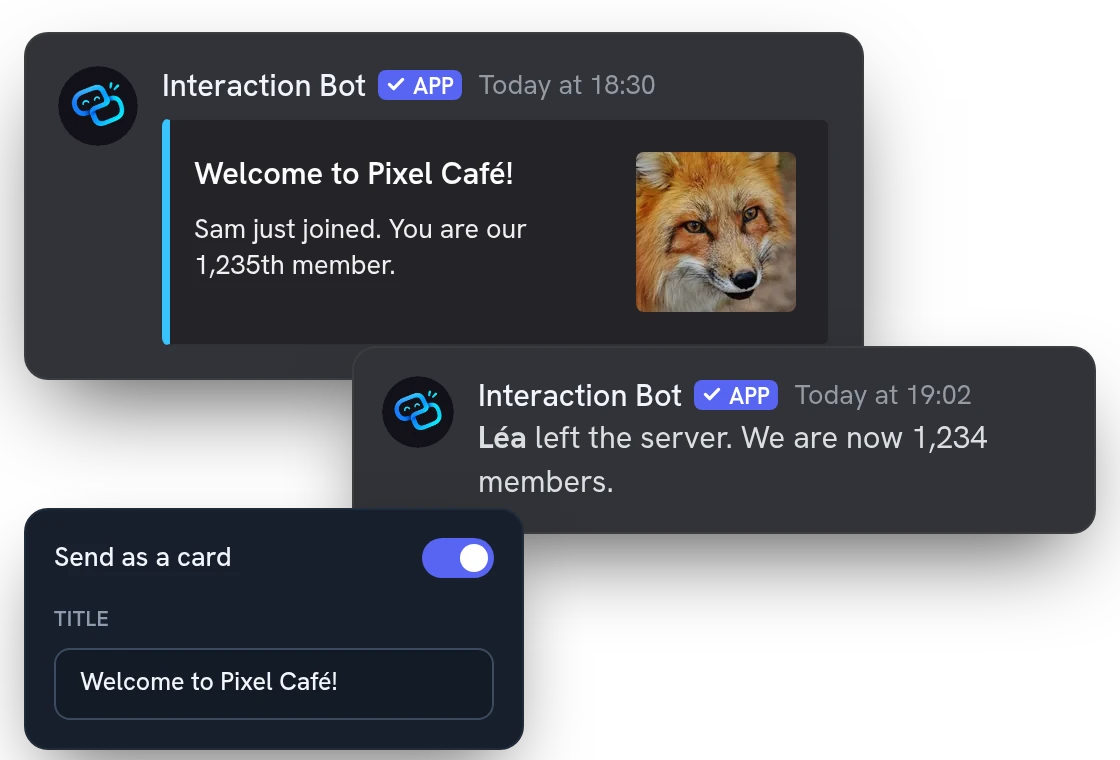
Welcome and goodbye messages in your own words
Write each welcome message yourself, as plain text or as a card with a title, a color and the member's avatar. The bot fills in the name, the member number and the server, and says goodbye when someone leaves.
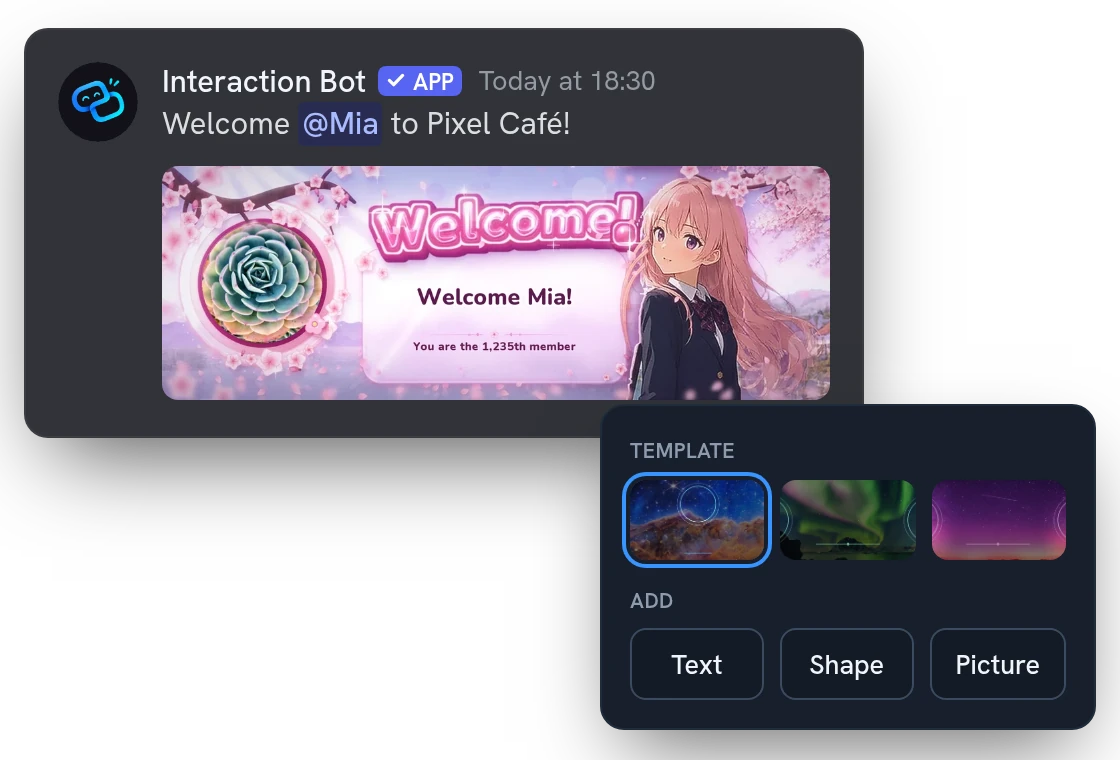
A custom welcome banner drawn for each member
Design the banner in the dashboard: start from a template, then add text, shapes and your own pictures. No time? Pick one of the ready-made backgrounds. The bot draws a fresh banner with each member's avatar and name.
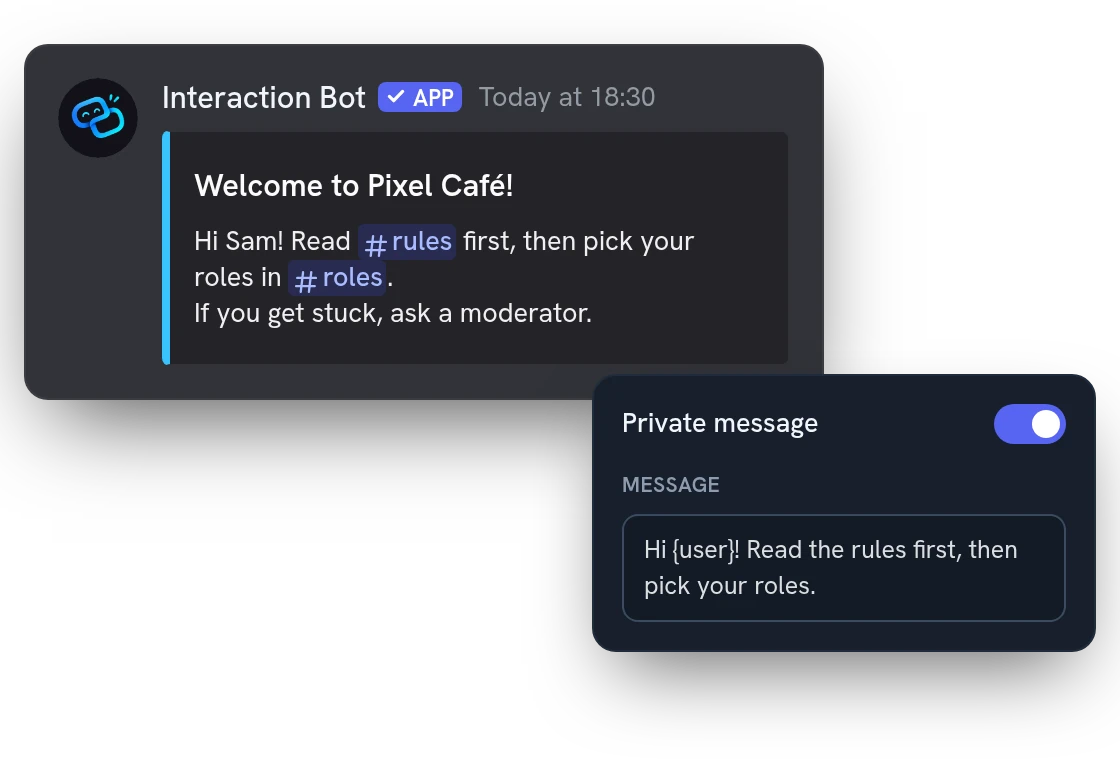
A welcome DM: a private message for every newcomer
Write a separate message for their inbox: the rules, a first step, your guide. It can carry its own banner. If a member closed private messages, nothing is sent.
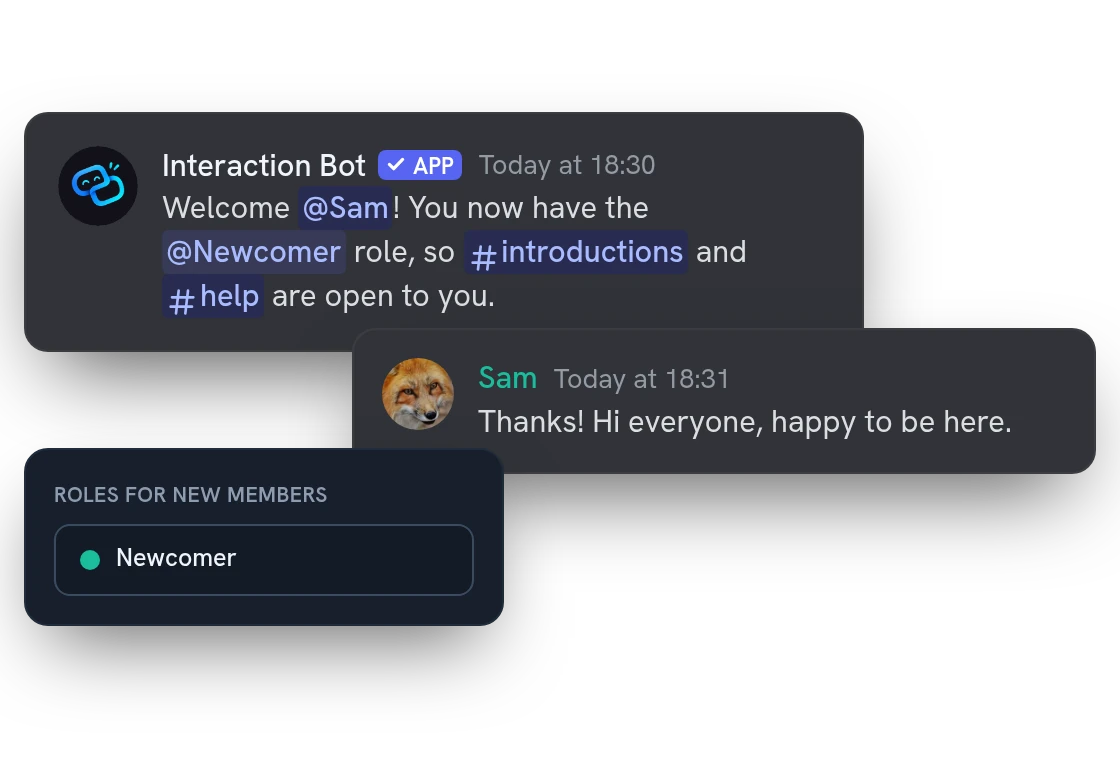
Auto roles given the moment someone joins
Newcomers get their roles automatically, so the right channels open for them: up to 10 roles for members and 10 for bots. If new members must accept your rules first, the bot waits for that.
All features
Several welcome messages, drawn at random
Write several versions: the bot draws one for each arrival, by weight, and can avoid repeating the last one.
A different message per kind of arrival
Give bots, brand-new accounts, returning members or people from a labelled invite link a welcome of their own.
A “Say hello” button under the message
Each member who clicks gets a private greeting in their own language, once per message.
A “Read in my language” button
One click translates the welcome message for that member, in private. Mentions, custom emojis and dates stay as they are.
Welcome after the rules or Onboarding
Hold the message until the member accepts Discord's rules or finishes Onboarding, so you only greet people who really joined.
Ghost mention to point to a channel
Mention the newcomer in up to 5 channels and delete the mention seconds later: a ping that shows them where to go.
Emoji reactions on the welcome message
The bot adds up to 2 emojis under the message, so members can welcome the newcomer in one tap.
A separate goodbye for kicks and bans
Each way of leaving can have its own message and channel, so a ban is not announced like a member who just left.
Give roles to members already there
Hand the automatic roles to current members who lack them, once or on a schedule, skipping the roles you exclude.
Rules with an “I accept” button
Write up to 25 rules, share them with /rules in each member's language, and give roles when someone clicks I accept.
A welcome hub with link buttons
Keep one message in a channel with a title, text, a picture and up to 5 link buttons, updated each time you publish.
A thank-you message for server boosters
Post a message, in a channel or in private, when a member starts boosting the server, with the boost count if you want.
Questions about Welcome bot
Is the Discord welcome bot free?
It's free on every server, with no Premium. You can pick up to 10 roles for members, 10 for bots and upload 10 pictures. During a raid, the bot posts at most 10 welcome and goodbye messages every 10 seconds.
How do I set up a welcome message on Discord?
Open the dashboard, turn the message on and choose its channel: nothing is sent until you do. Then press Send me a test (it uses your saved settings). The bot posts a sample about you, deleted within 2 minutes, or sends it to your private messages.
Can I use my own image as the welcome banner?
Yes. In the banner editor, start from a template and add your own pictures, or pick a ready-made background. You can upload 10 pictures. Show the real rendering draws the exact banner before members see it.
Can the bot give auto roles to new members?
Yes, but only roles below its own, and never one with moderation or administration permissions. It needs Manage Roles, and the dashboard only offers roles you could give yourself.
Why doesn't my welcome message appear?
Check that the message is on and has a channel. The bot needs View Channel and Send Messages there, plus Embed Links for cards and Attach Files for banners. The Send me a test button tells you which one is missing.
You might also like
Translation mirrors
Link channels, each in its own language: a message written in one is translated and posted in all the others. One mirror, five with Premium.
Voice recording
Record a voice channel with one separate track per speaker, ready to edit your podcasts and sessions.
Text to Speech
Read messages and whole text channels aloud in your voice channel, in 14 languages.
Try it on your server
Add Interaction Bot in one click and set it up from the dashboard.
 Add to discord