Discord flag reaction translation bot: react with a flag to translate
Members can't read a message in a language they don't speak, so they copy it into a translator or skip it. With flag reaction translation, they add a flag emoji under the message and Interaction Bot replies with the translation in that language. Nothing to set up.
- 175 flags
Flag emoji already under every message
Pick 1 to 5 flags for a channel and the bot adds those flag reactions under each new message. Members click one instead of hunting for an emoji. Ideal for international channels.
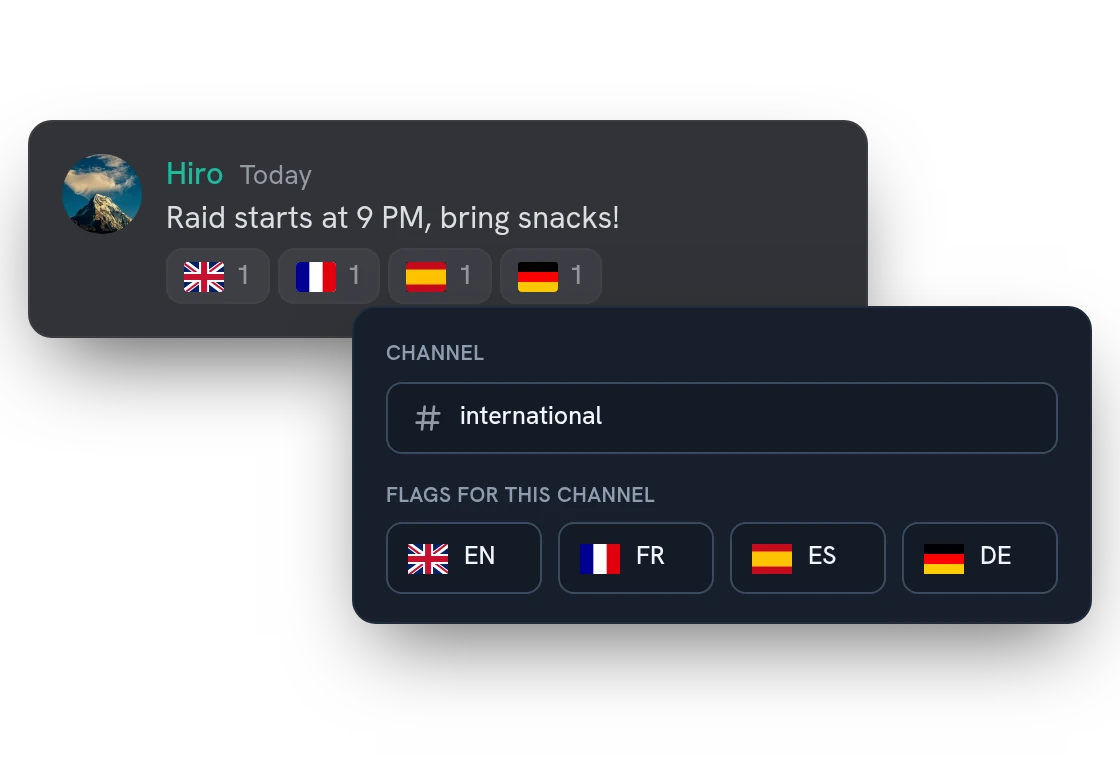
Show the translation as an embed, in a thread or by private message
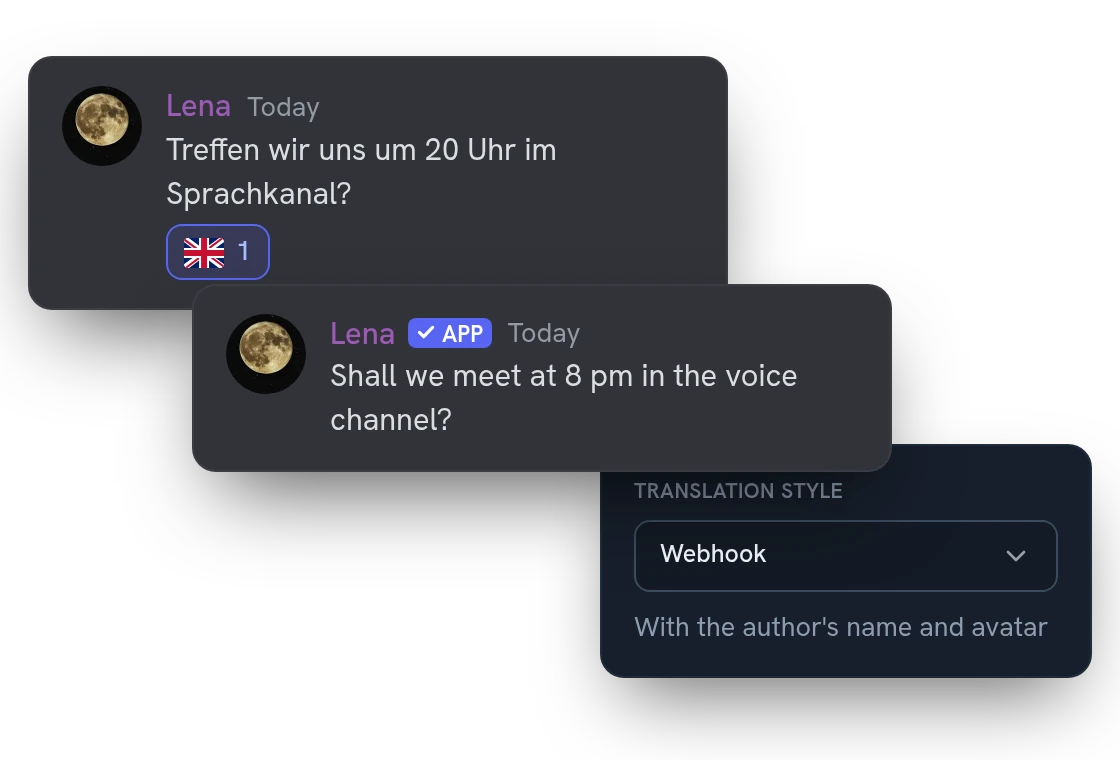
Send it as an embed, a plain message, a webhook with the author's name and avatar, a thread under the message, or a private message to the member who clicked. Each channel has its own style.
Auto-deleting translations that follow message edits
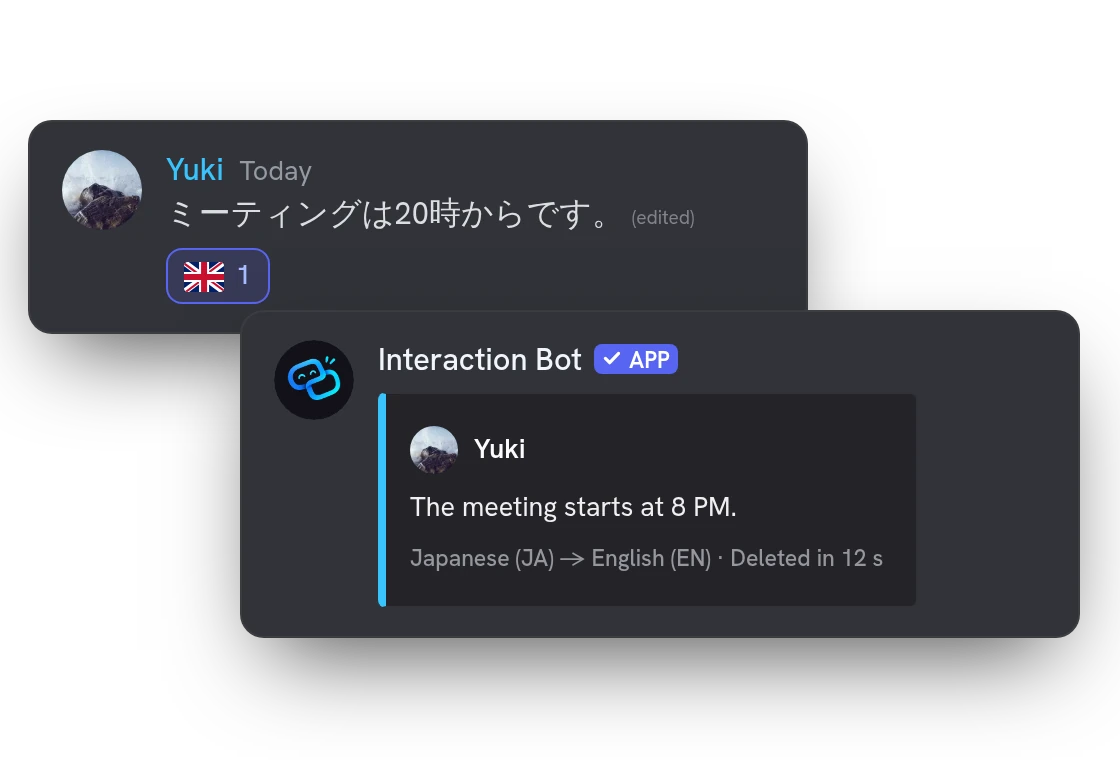
By default the translation is deleted after the reading time, and its footer counts the seconds. If the author edits the message, the translation follows. In busy channels, translate each message only once.
All features
The pirate flag
React with the pirate flag and the message comes out in English, then in pirate speak. Just for fun.
Regional flags too
Several flags give the same language (UK, US, Canada: English). The Welsh flag gives Welsh, the Scottish flag Scottish Gaelic.
Works on old messages too
Add a flag under a message from last week or last year: the bot reads the message when the flag is added.
The original language is detected
Nobody has to name the source language: the bot detects it, then translates into the language of the flag.
Switch it off where you don't want it
Turn flag translation off for a single channel, or for the whole server, from the dashboard.
Pictures and files come along
Attachments are copied next to the flag translation, up to 8 MB in total.
Bot messages, embeds and menus
Premium also translates messages written by bots, and the text of embeds, buttons and select menus.
Voice messages
React with a flag on a Discord voice message: it is turned into text and translated, and can be read aloud.
Gone when the message is gone
If the original message is deleted within a few hours of the flag, the translations posted for it are deleted too.
Respects members who opt out
A member who opted out on the website is never translated; the bot shows a short notice instead.
Settings from Discord too
/flag-translation sets on/off, how often, auto-delete and style for a channel, and /flags handles the shortcuts.
Questions about Flag translation
How do I translate a Discord message with a flag emoji?
Add the flag of the language you want as a reaction under the message. The bot replies with the translation in the main language of that country. 175 flags work: the British, American and Canadian flags all give English. The pirate flag translates into English, then pirate speak, but it can't be a shortcut. Run /languages to list the languages.
Is the flag translation bot free?
Yes, on every server. Premium adds the translation of messages written by bots and raises the channels with their own flag settings from 20 to 500. The flags the bot adds under messages are 1 to 5 per channel on every plan.
How do I get flags under every message?
Run /flags set with a channel and up to 5 flags, or use the Flags page of the dashboard. You need the Manage Server permission, and the bot needs View Channel, Add Reactions and Read Message History in that channel. Only new messages from members get flags.
Who sees the translation?
Everyone in the channel, except with the Private message style: then only the member who clicked the flag gets it. A member who opted out on the Account page of the website is not translated; the bot shows a short notice instead.
Why is the flag reaction not working?
Flag translation may be off in that channel on the Flags page, the channel may translate each message only once, or the message may be empty. A message written by a bot is translated only on a Premium server, and a reaction added by a bot never triggers a translation. Run /check-permissions to see what the bot lacks.
You might also like
Text to Speech
Read messages and whole text channels aloud in your voice channel, in 14 languages.
FAQ & Q&A
Build a FAQ and let the bot answer members with /ask or automatically, in the language of the question.
Reaction roles
Let members pick their roles with emojis, buttons or a dropdown, in a message you build in the dashboard, with temporary roles and filters.

Try it on your server
Add Interaction Bot in one click and set it up from the dashboard.
 Add to discord