Discord live captions and translation for your voice chat
In a voice call, people talk fast, join late or don't share your language. Open Interaction Bot as a Discord Activity for live captions: every sentence appears with the speaker's name and picture, in your language if you pick one, and late joiners read what they missed.
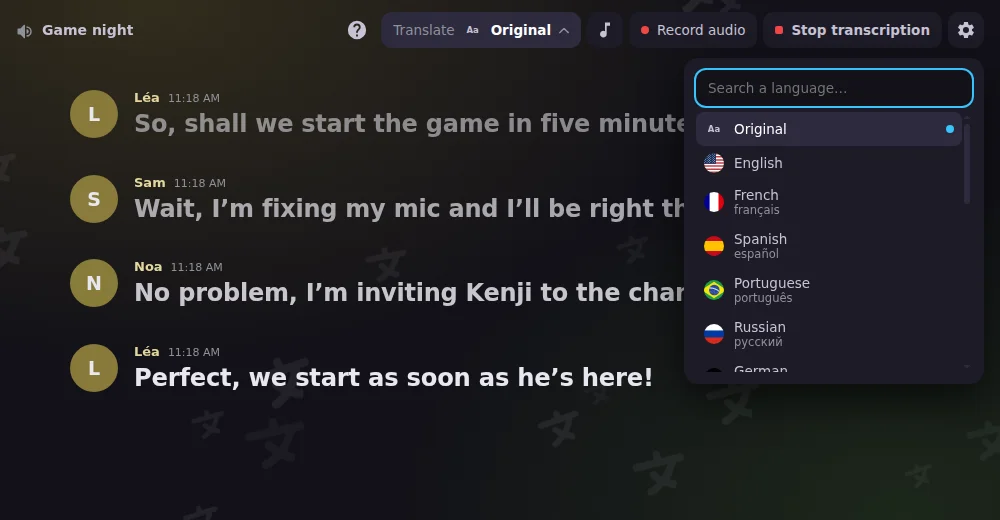
Live voice chat translation: read the call in your language
Pick a language in the menu and each sentence of the call is translated right under the original caption. Only your view changes, so one voice channel can mix members who speak different languages.
Record a Discord voice call, one track per speaker
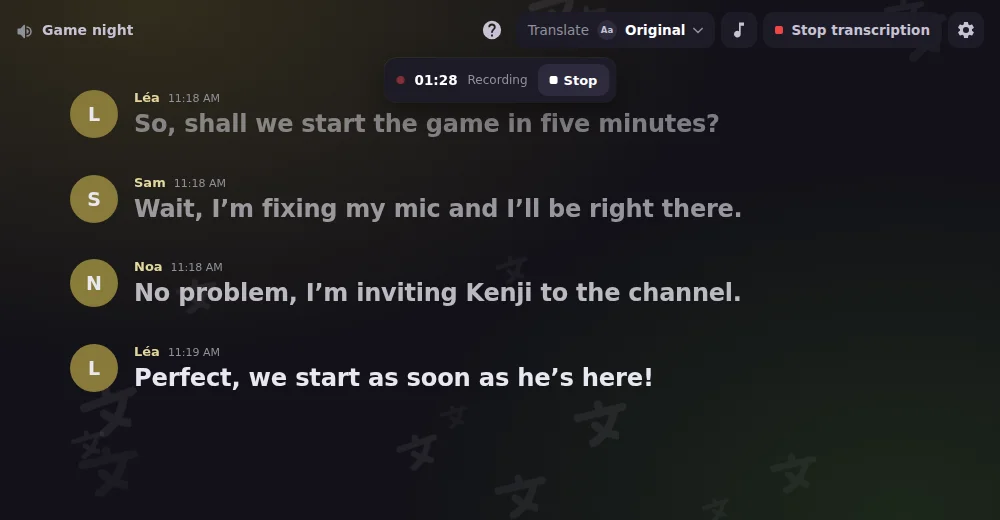
Click Record audio, then Start recording: the bot records the voice channel with one track per speaker. A timer and a Stop button stay on screen, and the link reaches you by private message when it's ready.
Replay your Discord voice recordings without leaving Discord
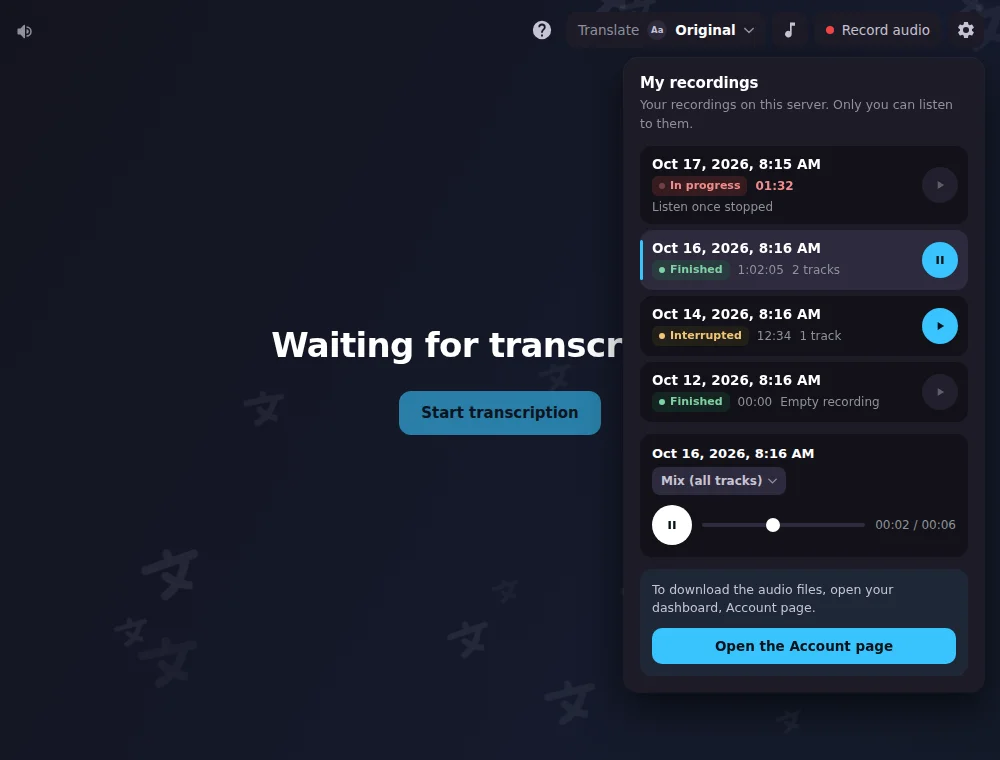
My recordings lists your recordings on this server with their state. Play them right in the window, as a mix or track by track. To download the audio files, open the Account page of the dashboard.
All features
Words appear as people speak
The sentence being spoken shows up word by word, then the finished sentence replaces it.
A green ring around the speaker
The ring follows the real voice, not the text, so you always see who is talking right now.
Scroll back, then jump to live
Reread an earlier line, then click Back to live and the view follows the speech again.
Text size that fits your screen
A slider in the settings makes the captions bigger or smaller, and your choice is remembered.
Pick from 99 languages
Search the list, with the name of each language in yours; your choice is remembered on your device.
Choose who can open it
In the dashboard, let anyone in the voice channel open it, or only members who manage the server.
Profile pictures on or off
Show each speaker's picture, or switch it off in the dashboard to show a coloured initial instead.
Start and stop from the window
Members who manage the server start it; stopping asks for a second click so nobody ends it by accident.
Invite the bot from the Activity
No bot on the server yet? The Activity shows how to invite it, then connects by itself once it's added.
Keep recording when the channel empties
Switch on continuous mode in the recording panel to keep going with nobody in the channel.
Only you can play your recordings
My recordings lists the ones you started on this server, with their state: in progress, finished or interrupted.
Questions about Discord Activity
How do I turn on live captions in a Discord voice channel?
Join a voice channel, click Start an Activity and pick Interaction Bot. Everyone in the channel can follow along; the start button needs Manage Server, other members run /transcribe live. Limit who can open it in the dashboard.
Is the Discord live captions bot free?
It has a free tier with daily limits: free servers get 30 minutes of transcription and 1 h 45 of recording a day; Premium gives 3 hours and 6 hours. To start either one, the server needs Premium or a top.gg vote from any member (valid 24 hours).
Can the bot translate a Discord voice chat live for each member?
Yes, on Premium servers: each viewer picks a language and only their own view changes. The server translates into at most 4 languages at once, and other viewers see the original text. Translations appear once a sentence is finished.
Is the live transcript saved, and can I download it?
No. The Activity keeps lines only in memory while the transcription runs, drops them when it stops, and has no download button. Only the text the bot posts in your transcription channel stays, like any message.
Can I record a Discord voice call, and do people know?
Any member can start a recording unless you restrict it in the dashboard. The text channel is told when it starts, and members who turned on "Do not record me" in their account are not recorded. Recordings are kept 24 hours, 7 days with Premium.
You might also like
Reaction roles
Let members pick their roles with emojis, buttons or a dropdown, in a message you build in the dashboard, with temporary roles and filters.
Translation
Translate channels, roles, categories and mirrors into 100+ languages, or on demand with flags and commands. No limit.
Speech to Text
Transcribe voice channels live, speaker by speaker, and translate the transcript.

Try it on your server
Add Interaction Bot in one click and set it up from the dashboard.
 Add to discord