Discord invite tracker bot: see who invited every new member
You share invite links with partners, in giveaways and with friends, but can't tell which ones bring in members. The bot tracks the invite each newcomer used, shows who invited who, ranks your best inviters and flags fake accounts.
See who invited who, with the invite each member used
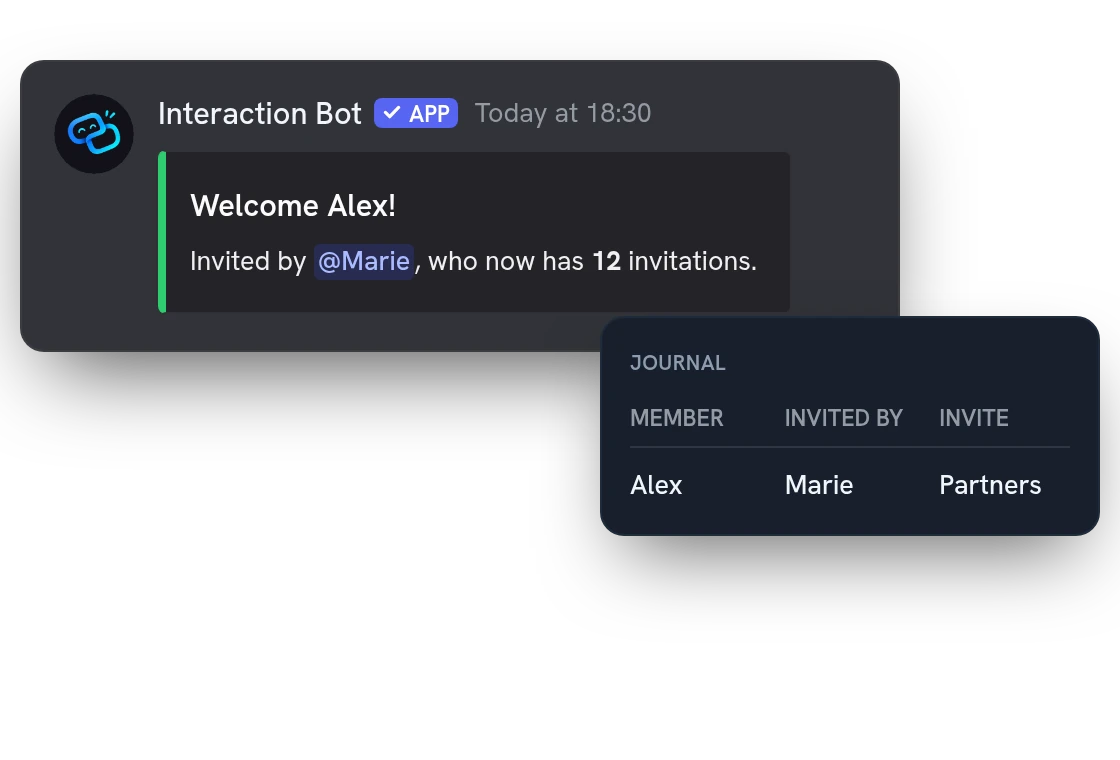
The bot finds the invite each newcomer used and credits the member who created it. Name the inviter in your welcome message, or read every arrival in the dashboard journal, your invite log.
Accurate invite counts: no fake accounts, no leavers
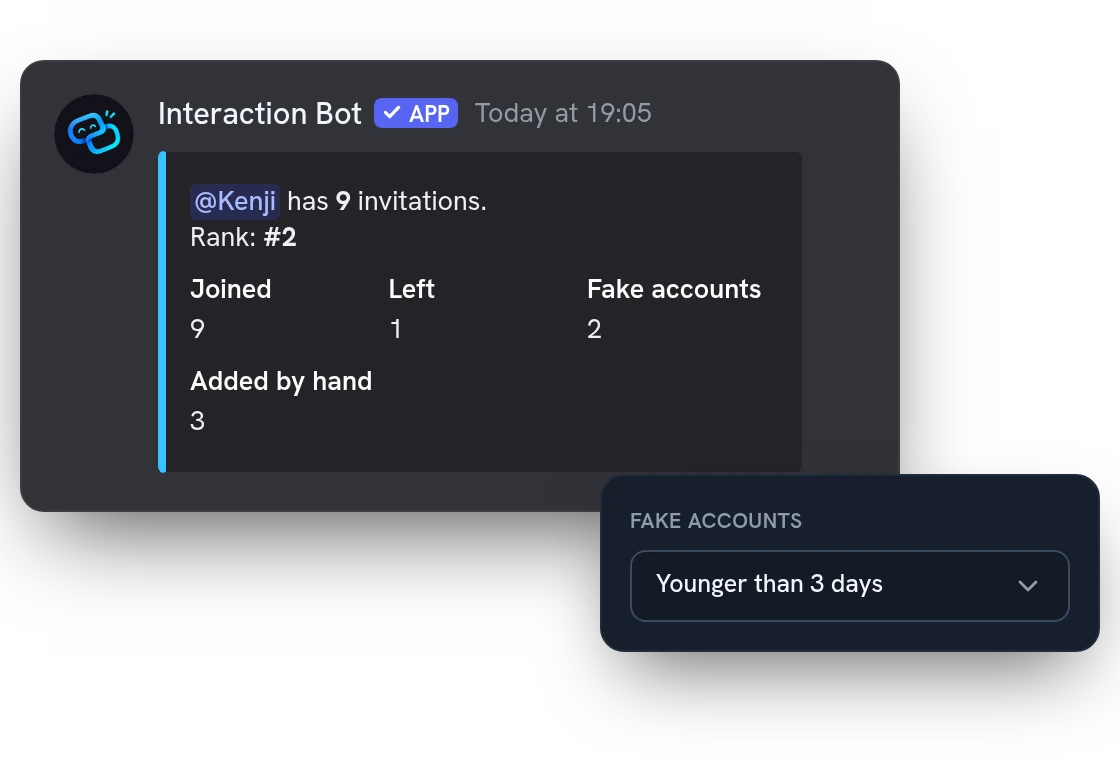
Members who leave and accounts younger than 3 days (you can change the age) come off the invite count. A member who comes back never earns a second point. Correct any total by hand after an event.
Label each invite link and give it a role
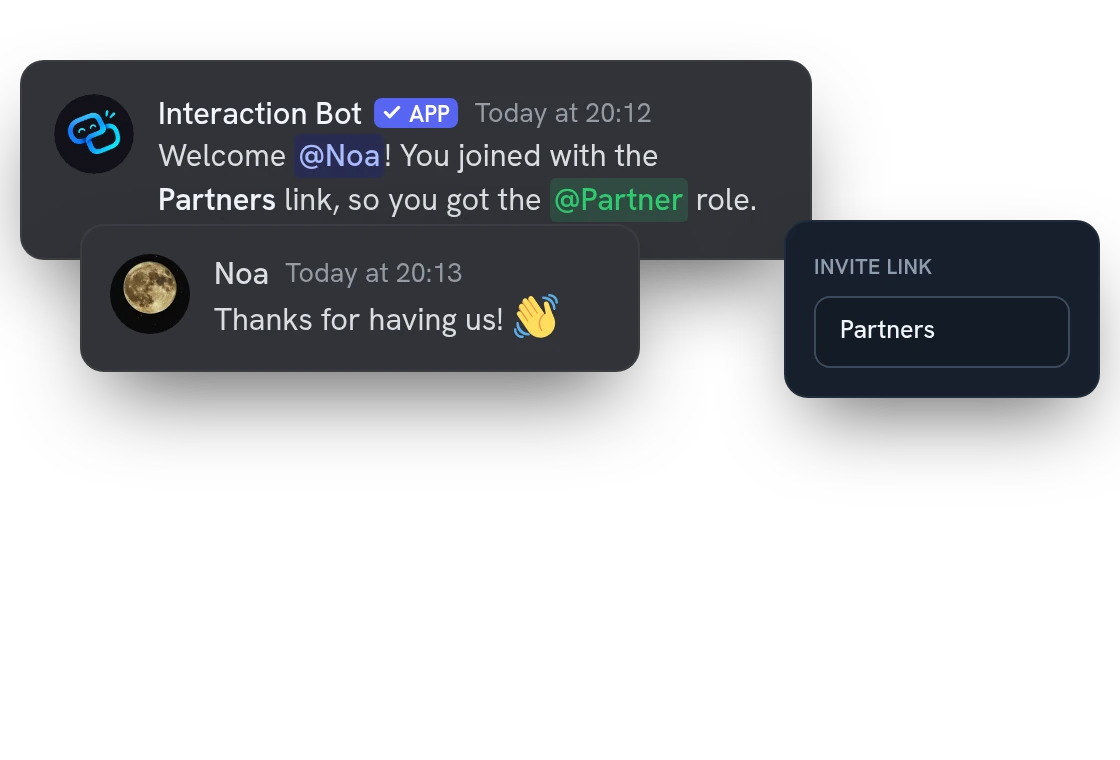
Name your invite links Partners or Summer event to see which one brings in members. Everyone who arrives with a labelled link also gets the role you attached to it.
All features
Leaderboard by period or role
Rank inviters over the last 24 hours, 7 days or 30 days, or only among members who have a given role.
Look up any member's inviter
Staff see who invited a member and the links a member created, in a reply only they can read.
Pinned ranking kept up to date
Keep a daily, weekly, monthly or all-time ranking pinned in a channel. The bot refreshes it for you.
Public ranking page
Share the ranking with a link that needs no Discord login, with names hidden if you prefer.
Growth and retention
See arrivals, departures, where members come from and who is still here after 1 and 7 days.
Weekly or monthly report
The bot posts a summary of arrivals, departures and best links in a channel you choose.
Planned resets, season by season
Reset the counters once or every day, week or month. The final ranking is archived first.
Clean up old invite links
Preview, then delete unused or old invites with filters, in one go.
Export to a spreadsheet
Download the ranking, the arrivals or the journal as a CSV file.
Count the existing invite uses
Add the uses your links already have to the totals of the members who created them. Once only.
Choose who sees the inviter
Show who invited a member to staff only or to everyone, and forget members when they leave.
Exclude and hide members
Make some inviters or roles earn nothing, and hide chosen members from the leaderboard.
Questions about Invite tracker
Is the Discord invite tracker bot free?
Yes, on every server, with no vote and no Premium, including the leaderboards the bot keeps pinned and up to date in a channel. The tracker is on as soon as the bot joins; you can switch it off on the dashboard.
How do I track invites on my Discord server?
Give the bot the Manage Server permission so it can read invites, then turn the tracker on in the dashboard (Management, Invitations) and save. Only members who join after that are counted. Label roles also need Manage Roles and a bot role above the role it gives.
Why does the invite tracker say Invite not found for a member?
The bot never guesses. When two invites were used at the same time, when Discord links no invite to the member or when the bot was offline, nobody gets the point. Fix the total with a correction.
Is the invite tracker safe? What does it store about members?
The journal keeps one line per arrival (member, inviter, invite, dates) as long as you decide: forever by default, or 30, 90, 180 or 365 days. Members can delete their own lines, and a member who refused tracking counts for their inviter without being named.
Can I give a role as an invite reward, for 10 invitations?
No. The bot gives no role or prize for a number of invitations. The only role it gives is the one you attach to an invite link.
You might also like
AI setup assistant
Tell the AI what you want in plain words: it reads your settings, shows a plan and changes nothing until you confirm, in a channel with /ai setup or in the dashboard.
Speech to Text
Transcribe voice channels live, speaker by speaker, and translate the transcript.
Flag translation
Translate any message with a flag reaction, or let the bot add 1 to 5 flags under every message of a channel. No setup needed.

Try it on your server
Add Interaction Bot in one click and set it up from the dashboard.
 Add to discord