Discord honeypot bot: trap spam bots and hacked accounts
Spam bots and hacked accounts post in every channel they can see, and you clean up after them by hand. This anti-spam bot adds a trap channel that no real member writes in: the first message there is enough to remove the account and clean up its messages.
- Off by default
A honeypot channel in one click, warning included
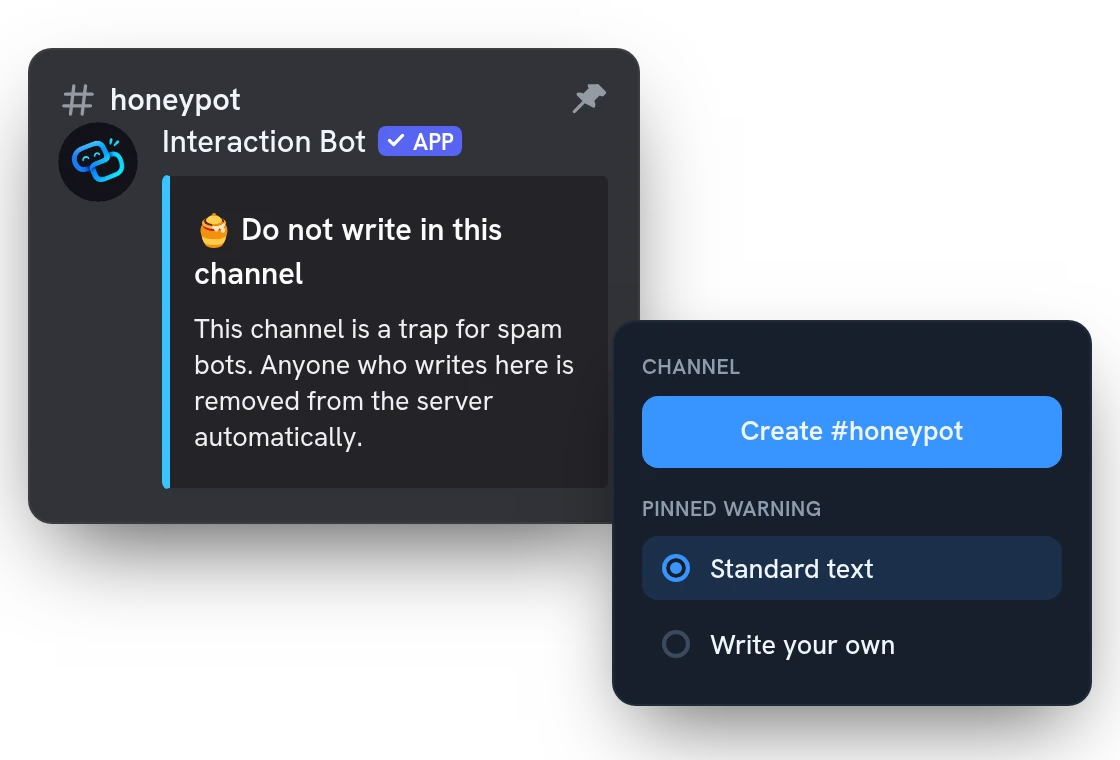
Create #honeypot in one click, or turn any text channel into a trap. Everyone can see and write in it, so spam bots and hacked accounts fall in. A pinned warning tells real members to stay out: use the standard text or write your own.
Kick, ban or time out the account, and clean up
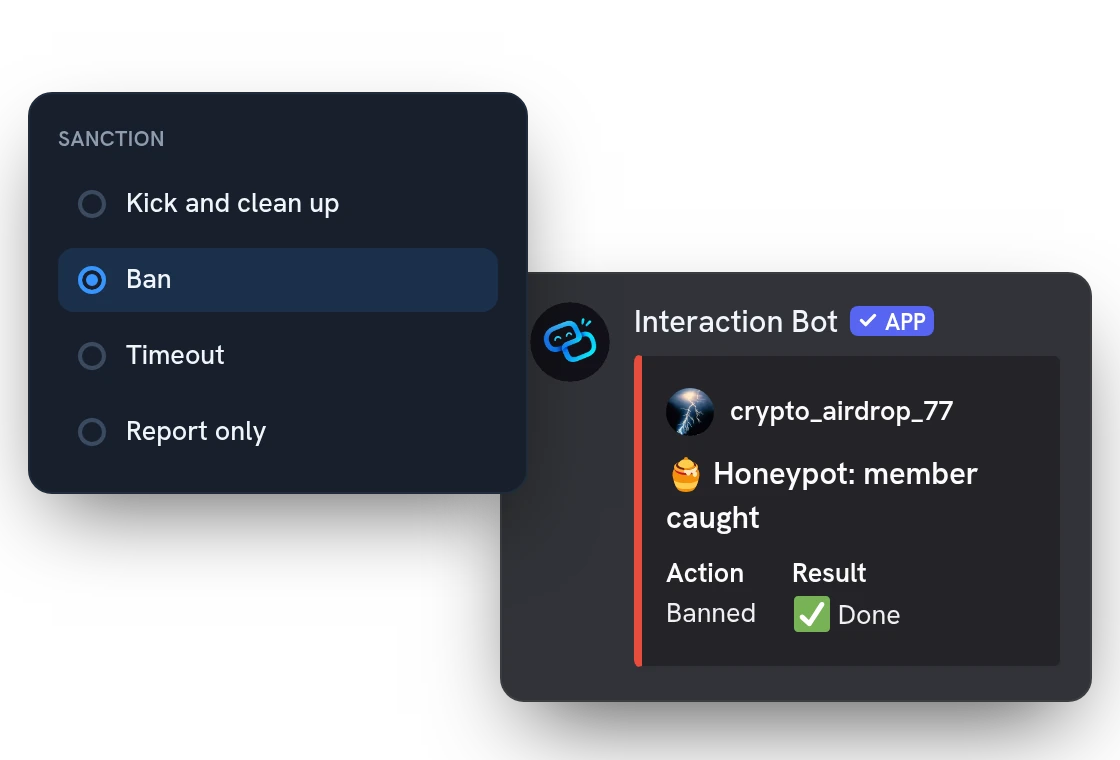
Kick and clean up is the default: the account's messages of the last 24 hours are deleted too, in every channel the bot can. Pick a ban for bots that come back, a timeout to let your moderators decide, or report only to test.
Exempt roles and an automatic pause against false alarms
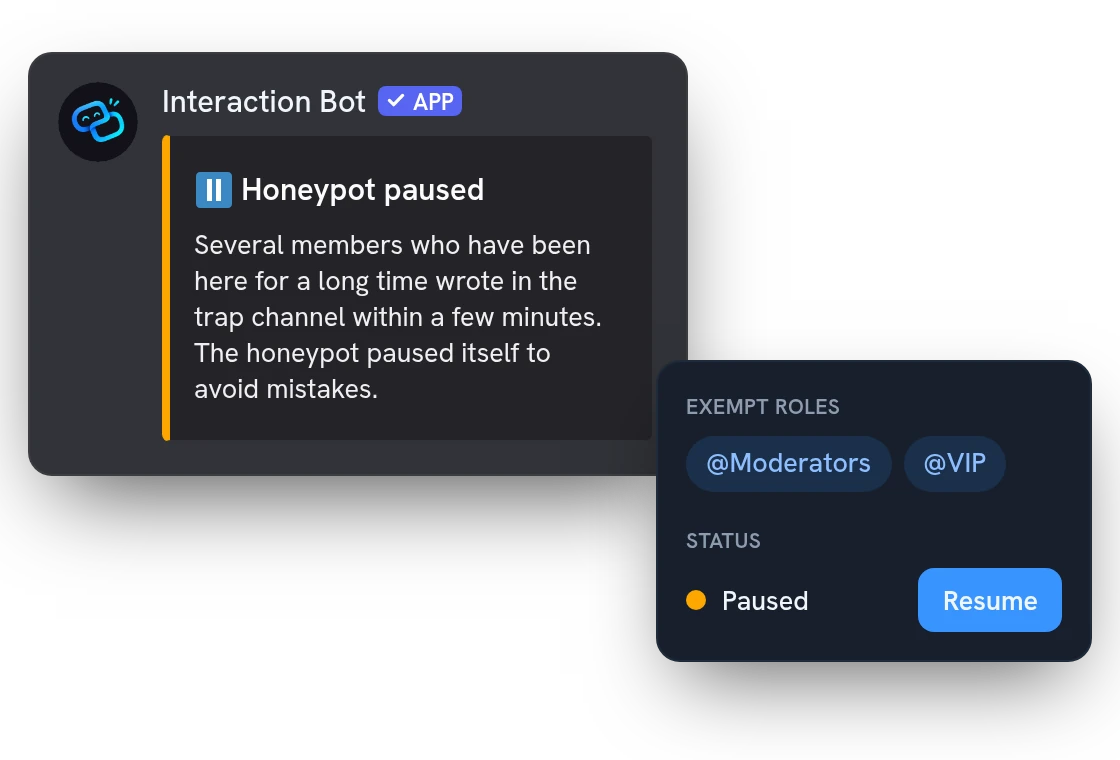
The owner, admins, moderators, bots and anyone you exempt are never punished. If 3 members who joined over 30 days ago write in a trap channel within 10 minutes, the bot pauses itself, punishes nobody and warns your log channel.
All features
The trap message is deleted at once
Whatever the sanction, even report only, the message that sprang the trap is deleted right away.
Trap channel with threads closed
The channel created from the dashboard keeps threads closed and carries a topic telling people not to write.
Several trap channels
Spread traps over several channels, each with its own pinned warning.
Warning written like any message
Style the pinned warning with the message builder: colors, images, and your server name inserted.
Warning kept up to date by itself
Edit the warning in the dashboard and the pinned message updates; remove a trap and its warning goes too.
Clean-up from none to 7 days
With a kick, timeout or ban, choose how far back the account's messages are deleted, from nothing up to a week.
Timeouts from 1 hour to 28 days
If you pick a timeout, set its length yourself, from one hour up to 28 days.
Ping your moderators on each catch
Choose a role to mention when a catch is posted, so your team sees it without checking the log.
The dashboard shows what is missing
It checks permissions and the trap channel, and lists what the bot still needs before the trap works.
Told when a trap channel is deleted
If someone deletes a trap channel, it leaves the honeypot and a note is posted in your log channel.
Switch off without losing settings
Turn the module off in the dashboard and the traps stop springing; your settings stay for later.
Questions about Honeypot
Is the Discord honeypot bot free?
Yes, every option is free on every server, with no Premium and no vote. Each server can have up to 5 trap channels, 50 exempt roles and 100 exempt members.
How do I set up the honeypot bot on Discord?
In the dashboard, open Management > Honeypot, press Create #honeypot (or add a channel), pick the sanction, then switch it on and save. The bot needs Manage Messages and Pin Messages, plus Kick, Ban or Timeout Members for your sanction, and its top role must be above the members it punishes. The dashboard lists what is still missing.
Will it punish a real member by mistake?
Only if they write in the trap, which the pinned warning tells them not to do; with the default kick, they can join again. To test, start with report only, which deletes the message and punishes nobody, and post from an account without moderation permissions.
Does it catch hacked accounts and every spam bot?
It catches the ones that write in a trap channel. A bot that never posts there is not caught, and the rest of your server is not scanned. It cannot punish a member whose top role is above the bot's: the history then shows the catch as failed, with the reason.
Where does the bot log the accounts it catches?
Each catch is posted in your log channel if you set one, with a role mentioned if you choose, and kept for 30 days in the dashboard history: the member, the dates, the sanction and its result, and the first 300 characters of the message.
You might also like
Welcome messages
Greet new members, say goodbye to those who leave, and send a private message, with banners designed in the dashboard and automatic roles.
Discord Activity
Launch the Interaction Bot activity in a voice channel: live transcript, live translation, recording and playback, in one panel.
Voice recording
Record a voice channel with one separate track per speaker, ready to edit your podcasts and sessions.

Try it on your server
Add Interaction Bot in one click and set it up from the dashboard.
 Add to discord